I have a network-controllable outlet switch with a timeout feature. You can configure each outlet to ping a specific IP address; if the address doesn't respond after X seconds then the outlet will be power-cycled.
Did you get that as fabulously expensive datacenter gear, or were you able to squeeze it out of a consumer “smart outlet”? I’ve been looking for a thing like that some weeks ago (for reasons that are now moot), and the easiest option seemed to be to buy a handful of the vendor-app-locked whitelabel crap and see which can be reflashed with open source firmware. Which is not as easy as I’d wish.
Shelly relays are known to be easy to control via Wifi. Off the shelf, you'd need to run the actual ping+decide logic elsewhere, though you could re-flash the firmware with custom logic too...
I want one of these in "plug" form factor that uses a normally-closed relay rather than normally-open. The reason being that the internal power supply and microcontroller could fail by shutting down, preventing things from working at all. There's nothing that can be done about the microcontroller failing while holding the circuit open, though, but power supply failure has been a reoccurring but infrequent thing for me lately and it would be nice to cover that case well.
Edit: For small do-it-yourself computer clusters you probably want it to fail normally-open, this would be for non-redundant stuff
Just gotta be careful about how you implement it. The real problem to solve is to detect when the application is. It making forward progress. I’ve seen this implemented in awful, stupid ways (like spinning off a thread to stroke the watchdog - borderline pointless).
For network connected things (which aren't designed to work offline), I like to implement a network watchdog poker...
Ie. every 30 seconds, contact an update server server and, if successful, poke the hardware watchdog.
That means every device in your network will either be rebooting, or correctly talking to your server with the latest version of your software. There are no other stuck/error states to consider.
I also implement reboot-with-no-screen-flicker, so that I can display a basic company logo so things look respectable while there is an outage and everything is bootlooping. Some brands of screen let you upload an image to display if there is no valid signal, which is an easy way to implement this.
Also worth doing a load test of your server to verify that it can withstand all your devices rebooting simultaneously and you won't suffer the thundering herd problem.
That's generally pretty hard problem, to find a point where it triggers where app is unresponsible but not when say it is running something CPU intensive and just lags for few seconds
The halting problem is for the general case. If you design the application to facilitate it you can demonstrate forward progress in a pretty robust way.
Is it perfect? No. But you can do much, much better than “is the kernel up.”
I think you are conflating hardware watchdogs and software timers. The hardware watchdog should be to catch cases where the system is no longer running your software (or the kernel or the watchdog daemon). Timeouts for software catch things like slow procedures, etc.
Not at all. In most embedded devices, the point of the software on the device is some specific function which is something more than “the kernel is running” or “the kernel is scheduling the zero-io watchdog process.” You want to actually pick up the case where the kernel is up but, for example, your process is all but dead because your storage driver has wedged.
The goal is to prove forward progress and the best way to do that is to come as close to proving that your userplane SW is actually working and not dead, or worse, half dead.
A true hardware watchdog is separate electronics. For example, it's really easy to make an electronic circuit that operates a relay once every 5 minutes, say, unless a 'restart timer' button is pressed. Connect the relay contacts across the PC reset button, and run a program on the PC that 'presses' (electronically) the 'restart timer' button once a minute, say. Then if the PC fails to boot, it gets reset once every 5 minutes until it does (fairly obviously, another set of relay contacts can be used to trigger an alerting device, e.g. wailing sirens).
We use this sort of approach with diskless systems in particular. If there's a power cut, the first boot attempt after power restoration might not work (because the network isn't back up yet). So the diskless systems just sit there, continually attempting a network boot until successfu (at which point the software on the PC hits the 'restart timer' button periodicaly.
This is closely related to the concept of a "deadman's handle", for example train drivers who must keep a lever pressed down during operation - if it's released, the train stops automatically.
Preface: my knowledge here is on ARM, particularly baremetal, but also embedded Linux. No idea about Windows or x86.
Generally there’s a hardware watchdog implemented as a counter/timer in the processor. It can have a predefined or configurable period. It counts down, and if it times out then it initiates a hardware reset of the processor.
You can ensure your software/OS is always at least executing code by having a task (in-kernel on Linux, or an RTOS task, or just in your main event loop on baremetal) that resets that timer. Then, if your code stops resetting that timer, it expires and resets the processor.
A more specialised variant that's also quite common is the "window watchdog" peripheral, which is similar to the timer version, but will also trigger a reset if the keep-alive signal arrives too early, as well as too late.
It can be useful where you've got a mainloop doing some very predictably timed activities, and allows detection of faults which cause your watchdog servicing to occur too frequently.
I think it's quite common in DSP and things like motor control, where you often have hard realtime requirements and things happening too soon is just as bad as too late.
Yes! There’s an ioctl interface for managing the watchdog, and a character device at /dev/watchdog. The kernel docs[1] are a decent jumping off point to learn more.
Upon reading these I did realize on Linux it’s implemented as a kernel device, but it’s usually a userspace task that has to notify the kernel watchdog interface to actually kick the timer. This makes sense, since userspace being functional is probably what you really care about.
One of the preternal problems of such hardware watchdogs was the inability to discriminate whether a sudden reboot was due a reset-button, hw security (e.g. temperature), ECC problem, or (micro) loss of power, or HW watchdog.
On most IPMI-capable BIOS/firmware there's now (been for 10 years but I'm old) an option to log 'system' events (ipmi failures like fan speeds if you've set threshold, but also reboot reasons). It's call the System Event Log. Very useful.
And on IPMI-plugged watchdogs, you can also see the state of the HW watchdog (is it running, how many seconds are left). Very useful too.
Somewhat related, nowadays by default systemd enables a 10-minute watchdog just before a regular reboot (i.e. after everything has been shut down) to ensure the reboot happens even if there is a hang for some kernel/HW reason.
There is a caveat here, it won't stop your app from crashing before the watchdog activation. Some CPUs have fuse that can enable watchdog before any code starts running but the ARMs I played with (STM32) don't appear to have that option.
At least some STM32s do, see page 89 of the STM32F4xx reference manual[1], the option bits 5:7 at 0x1fffc000 let you activate the hardware watchdog immediately following reset if you wish.
Embedded micros (Systems On a Chip) often include dedicated watchdog hardware. This is a timer which is reset ("fed") by writing values to a specific register. Crucially, it often isn't just one value; you have to alternate between two values. That way, you can write one value at one point in your event loop and the other value at another point, making it less likely that something will break but keep feeding the watchdog.
If the watchdog hasn't been fed for X milliseconds, then it resets the system.
Addendum: If you are using something like kdump to capture a vmcore of those kernel panics, then ensure you set `kernel.panic` large enough that the vmcore can actually be written to the dump target.
Setting it to 60 seconds is not much use when it takes 90 seconds to capture the core file.
It's a matter of degrees. The title here still gives less information than it could have in the same amount of space, forcing more people to read the article to find out, than would otherwise have.
I don't think it's too bad. Kiosks aren't overly prevalent, so unlike particularly egregious clickbait examples (Dentists hate this one simple trick for perfect teeth, etc), I had less stake in the result.
I was still curious about the content (which is how a title is supposed to work, right?) so I clicked it anyway, and learned about a kernel parameter I wasn't aware of.
I did not mean to negatively judge your post. After all the title does explain that it's about a kernel parameter, which is probably enough information; telling which specific one it is could even possibly be less estetic.
> If you’re building a kiosk, it’s hopefully obvious to avoid having any read-write mounted filesystems at all costs.
I wish there was support for this out of the box in linux distributions. Either by providing a (sub)set of software that doesn't need to write, and/or adding an overlay. Even for rasperries which are often used in a way where they would benefit it requires some work to set things up.
Having that kernel parameter set automatically when in that mode would be nice, too.
Or maybe I'm just not aware that distributions for this specific use-case exist.
I've been meaning to try Ubuntu's overlayroot package but since I tend to stick with Debian I haven't gotten around to it. Sounds interesting though...
Look into AntiX and/or MX-Linux. They both use the same toolset, are Debian-based, while AntiX is more 'spartan', and MX more full desktop. Both can be remastered into oblivion with their delivered tools, and installed in all sorts of ways, including running from RAM.
Running as full XFCE Desktop with FF, occassional updates except kernel, all in RAM, with quick logout and telinit 1 as root from console, then back to telinit 5(with autologin back into X):
Most hassle-free Linux-distro I've ever had, while being compact, but fully usable for my needs. There may be others, but I'm tired of trying.
Edit: Obviously not running with this kernel-parameter or watchdog, because I don't see panics here. But could be easily integrated, because Debian. OFC you'd need to have a remastered and prepared(to your needs) boot-device available after a reboot, while running from RAM. Could even be an USB-keychain. Anyways, they have all the tools to do this within a few clicks from X and a few function key-presses and menu choices during first boot.
How robust is either the proposed:
`panic=60`
or the Linux API described in sibling comments?
I run into kernel panics a lot and usually power cycle the machine. In particular for this to reboot after the kernel dies it seems to need real hardware support. Ping this register every N seconds or I reboot style.
Is that what we're working with here, vs some other part of the kernel which might survive part of it dying?
Where ? The most I saw was when trying to boot something untypical.
> Is that what we're working with here, vs some other part of the kernel which might survive part of it dying?
I'd imagine it's same path for panic. There is probably still ways to crash (especially with hardware faults) to get around it so it isn't replacement for watchdog but it looks like an improvement
I'd like to say you need "proper" external watchdog like IPMI based one on server but
* They still need to get thru the boot for kernel to activate them in the first place. I think I saw some servers that had some extra protection to crash on boot but definitely not anything common
* I've seen weird bugs around those too. Like older IBM servers could trigger watchdog when you synchronized IPMI time
You really kinda need 2 watchdog loops, long one (say 5-10 minutes) that runs from start catering to "something crashed during boot", and short one (few seconds to maybe a minute) that gets activated once kernel and OS is up and running
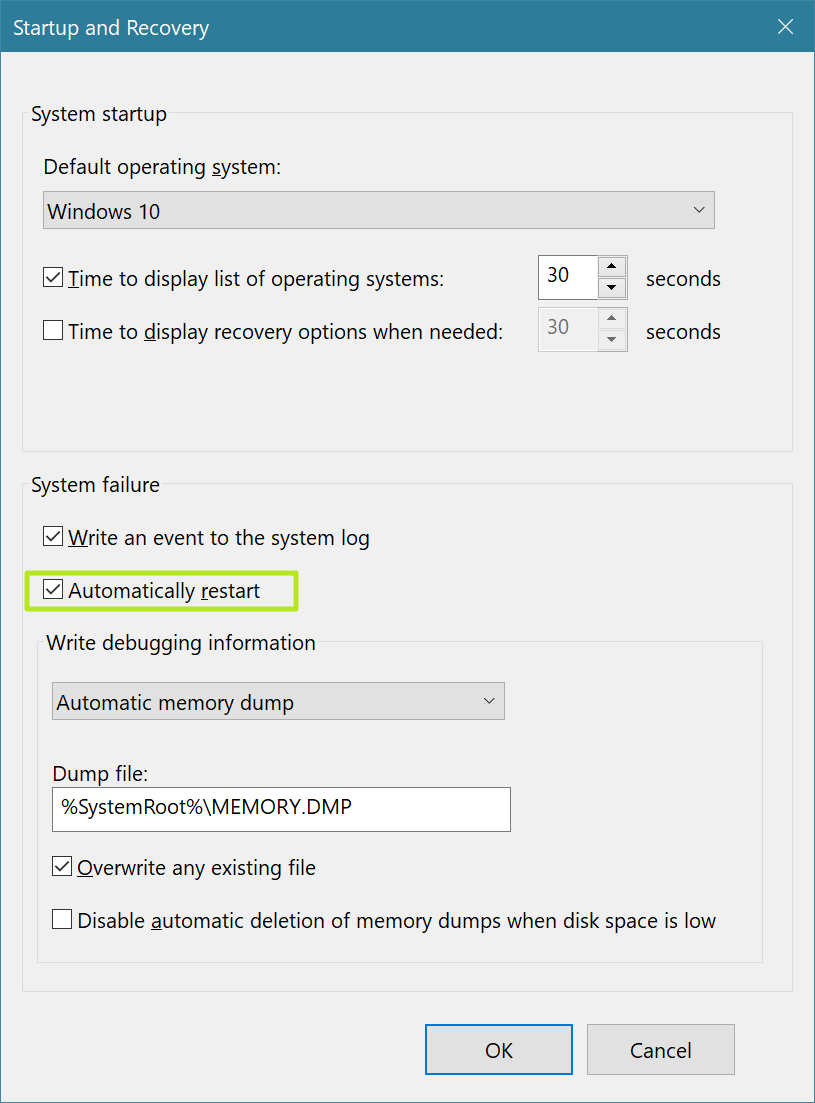
Any good software solutions that can do the equivalent for windows? I have systems that end up hanging at black error screen due to some kind of system restore/failure. The only way I have found to reboot them is with human intervention using a keyboard.
Before deploying this, do some analysis of your system and failure modes. And document it.
For example, do you have read-write filesystems or swap? If it gets corrupted, will a reboot cycle with fsck corrupt it further, preventing post-mortem forensics? This may have security implications too.
What about network access to a shared system? Will a power outage cause a stampede on your servers? Should you stagger that 60 value?
Another useful setting one could potentially use in conjunction with the panic timer is
vm.panic_on_oom = 2
In my experience, most systems get into a precarious state when not engineered to only use a percentage of available memory, factoring in the apps that spike memory using when forking child processes. This is most useful on NFS diskless machines, any machine that is managed as cattle vs kittens i.e. treating them like disposable VM's, dev/qa machines and especially machines used for application load testing.
One could even use in production after a significant amount of testing but it requires a few more settings and having automation doing a little bit of math as OOM/vmscan often picks the wrong processes to terminate and leaves the machine in a broken and sticky state and increases downtime impact on SLA. The probability of an OOM panic can be reduced by using:
vm.overcommit_ratio = 0
The default of 50 or 50%, 1.5X ram+swap allows the kernel to permit an application to spawn even when there is no memory available. This is handy on development systems but can lead to problems when automation does not properly calculate how much memory is available and permits an application to request too much memory as the kernel does not protect it's own future memory requirements.
One must then use a little bit of math based on the total memory installed in the system to calculate the values of vm.admin_reserve_kbytes, vm.user_reserve_kbytes, and most importantly vm.min_free_kbytes to prevent applications from grabbing too much memory. This also requires adjusting automation to deal with grabbing enough information when an application does not spawn correctly. This can be further improved by containerizing applications or using cgroup memory constraints when feasible. A percentage of memory must remain unallocated by applications for the kernel to use.
If using idrac/ilo/ilom cards, some of them have a feature to grab screenshots and will save the screenshots that led up to the panic, though will not always get the right moments.
[Edit] I should also add that the math calculations assume all deployment teams and all of their automation tools are aware of one another and math-all-the-things. e.g. production code, monitoring tools, analytic teams all add their numbers together plus overhead. If this is a Kiosk then maybe that is just one team.