Any complaint about the PDF format tends to be hard to address because the PDF format is so complicated and so flexible---except, of course, for the argument that the PDF format is too complicated and flexible, which tends to be the one enduring criticism since it has lead to a history of various security, compatibility, and performance issues related to PDFs.
The major attempts to replace PDF have largely failed, though. DjVu is relatively limited in scope. Postscript (as a document display format) has never been well-supported on Windows and is increasingly poorly supported on Linux due to rarity. XPS is perhaps the most direct "PDF replacement" but is nearly equally complicated (being based on the MS Office OOXML formats, giving it a similar cursed heritage to PDF's basis in the Photoshop PSD format), and there was never really a compelling argument to switch to it.
What I don't get is the suggestion that PDF should be replaced by HTML. The purposes of the two formats are basically orthogonal and replacing one with the other is doomed to failure. The author's argument seems more akin to "print-layout documents should be replaced by hypertext," and perhaps this is true in some cases, but it's definitely a different matter and one that the author's arguments don't really support that well.
In my opinion, hopefully more humble than the author's, PDF's main downside is the remarkable unevenness of the quality of the creation and reading tools, considering its supposedly "reads everywhere" nature. The "reference implementation" is a commercial product and supports a huge list of features that are rarely or never supported by third-party commercial or open-source implementations. The Linux toolchain still widely used with PDF (e.g. Ghostscript) is decidedly outdated and hard to work with, but there's not a lot of momentum towards development of more modern tools. All of these issues are likely rooted in the basic fact that the PDF format is extremely complicated, and so thoroughly implementing it is a massive undertaking.
The author's complaints about performance in particular reflect the flexibility and complexity of the format. Web browsers have mostly switched over to using pdf.js to render PDFs, which is completely satisfactory for documents that consist of text or images (like scanned documents), but can be absolutely unusable when dealing with extremely vector-heavy PDFs like GIS exports.
Even printing PDFs can become rather frustrating as the complexity of the format means that parse-related printing issues are relatively common. Even Acrobat, for a long time, would munge certain characters when printing due to some sort of inconsistency with how different generators and readers implemented font embedding leading to Acrobat not being able to locate the embedded character font. This seemed most common with the letter "l" but maybe I'm imagining that... but also maybe it reflects some frightening detail of the format or implementation behavior.
One of the most common issues around PDF consistency comes down to file size... different PDF generators are prone to create representations of the same document that are significantly different sizes. Scanners are often an extreme example, some combination of not "knowing the tricks" for PDF optimization and a probably very low-performance compression implementation means that low-end network scanners often produce PDFs that are hilariously large. Opening them in Acrobat and using the "optimize file" tool can reduce file size by 90% without apparent visual impact... the whole fact that Acrobat has an "optimize" tool (and that Acrobat Distiller used to exist) speaks to the scale of this problem. Inspecting PDFs that are "optimized" by Acrobat can be an alarming experience, as well. You may remember that this played a strange role in Obama's birth certificate some years back, as Acrobat seems to normally split PDFs into all kinds of different layers and apply strange transformations to them when it "optimizes." It's hard to know how much of this is actually "best practice" versus just a result of Acrobat accumulating decades of eccentricities.
So the bottom line is... PDF is too complicated for its own good, but then so are a great deal of other formats in widespread usage, like modern webpages which require complex parsing of multiple formats to render, and a great deal of historic cruft brought along with them. I'm not sure that there's any sound technical argument that PDF or web pages are a "better format," it's all a matter of opinion over whether you prefer print-format documents or hypertext, and that's going to be very application-specific.
> PDF's main downside is the remarkable unevenness of the quality of the creation and reading tools
Funny enough, I think one of the reasons PDF became so popular, is because it was originally seen as a "difficult / impossible to modify file that can be downloaded as a file and read in a static way". The lack of editing tools in the most popular PDF reader for a long time (Acrobat Reader) was the reason it became such a widely used format. Especially compared to distributing a .doc or .docx where the user can easily accidentally change something.
That's why I use it at work. If I don't pay for my employees to get Acrobat Pro, or allow them to install software outside of a helpdesk tickets, then I know a PDF they generate using our lab management software is unadulterated. It's part of our data verification policy. It's not that I think my employees with change data nefariously, it's that they may want to edit the layout and accidentally change a numerical value.
They'd need to put in a ticket to get it installed, which I would need to approve. But also, this isn't to stop malice it's to stop accidental edits. I can't stop my employees from messing with things if they want to. That's where the trust part and common goals come into play.
The document can be tampersealed to help prevent or at least notify of that.
In a way a locked tampersealed document is a pretty decent template for parsing data as well. It is messy as PDFs always are but a decent lib and a consistent source with sealed docs can be used for decently verifiable scraping.
For instance some sort of license, certification or official document like tax forms, it can be generated with a common output, tampersealed and then reliably parsed after verification.
> What I don't get is the suggestion that PDF should be replaced by HTML. The purposes of the two formats are basically orthogonal and replacing one with the other is doomed to failure.
Isn't "the purposes of the two formats are basically orthogonal" actually the entire point the article is making? Literally the first line of the summary:
> Research spanning 20 years proves PDFs are problematic for online reading. Yet they’re still prevalent and users continue to get lost in them.
From the second paragraph:
> The [PDF] format is intended and optimized for print. It’s inherently inaccessible, unpleasant to read, and cumbersome to navigate online.
The bolded statement in the second paragraph that's clearly meant to be the One Important Thing to Take Away:
> Do not use PDFs to present digital content that could and should otherwise be a web page.
Your comment here is eloquent, but the article's argument is not "print-layout documents should be replaced by hypertext," it's "print-layout documents are a poor fit for reading on screen-layout devices." When you conclude:
> It's all a matter of opinion over whether you prefer print-format documents or hypertext, and that's going to be very application-specific.
Aren't you essentially restating the article's thesis?
I don't want to read an article online that's a PDF for largely the same reason that I don't want to print the web version of the same article rather than a PDF. It's generally going to be clunky. The print page size and dimensions are not going to be my screen/window size and dimensions. I certainly don't want to read two- or three-column text on screen, which may require zooming in and out and scrolling back and forth on the same "print" page. And God help me if I'm trying to do that on my phone or iPad mini.
The article isn't saying "PDF is terrible and nobody should ever use it"; it's saying "PDFs were meant for specific applications and in nearly all circumstances, online reading is not it."
People who use PDFs generally do it because they want to have a fixed layout. If you tell those people to use HTML, they'll find a way to produce a non-reflowable webpage.
Or they use them because they have a publishing flow implemented somewhere in the byzantine processes of their company that spits out a nice looking pdf at the end (and maybe a crappy looking 1999 html document)
People who use PDFs often do it because the content they use it for is of a type (often a series) that has long been produced in PDF, and the reasoning for that in many cases is because in the 1990s people would print it out and read it. In many cases, that's not how people use it now, but PDF is still used because that's the way it has always been done.
I use PDFs for engineering drawings of mechanical parts. It's been done for a long time and is a good fit. There's a specific sheet format and scale, and is meant to be able to be printed easily
...although you need to beware of printouts getting silently scaled. It's really common, when someone asks to print (e.g.) an A4-sized PDF to A4 paper, for the printer driver to rescale it so that the entire document (including margins) fits within the (slightly smaller) printable area of the device. "Shrink to fit [within printable area]" seems to be a common default setting.
(If you're using PDFs for precisely-scaled engineering drawings, I expect you're well aware of this and have a workflow that avoids scaling, but I see people trip over it all too often.)
Granted, but a surprising number of people (still, in 2020) envision a very static, print-like experience for all web pages. i.e. yes, they "want" a fixed layout but in many cases their reasoning is mis- or uninformed.
”> The [PDF] format is intended and optimized for print. It’s inherently inaccessible, unpleasant to read, and cumbersome to navigate online.”
PDF format is perfectly capable of holding structured text and other machine-readable/accessibility data, alongside the print-ready representation. Ask the developers of document authoring tools (starting with MS Office) and the various PDF generation libraries why they don’t include all that data as standard.
One can argue the appropriateness of a print-derived format in a constantly fluid digital world, but it does what it was designed to do and does it pretty well, and it could provide a lot more if developers and users could be bothered to do it.
And yes, HTML is its own exercise in awfulness that is equally bad at everything. I’d rather set my feet on fire that propagate that horror further.
Honestly, what we really need is a 21st-century Donald Knuth. I only wish she’d hurry up.
The use of PDF's is usually for it's immutability. Not all PDF's are created equal. Some are harder to change than others - but there are many tools and options to change them, if you need to.
However, it is possible to turn HTML5 into statement-of-record documents (Not PDF's),and make them immutable, encrypted and authenticated. A HTML5 document can have the features we need from PDF (immutability, encryption, authentication, pixel perfect print, etc.) while still allowing the resulting document to be interactive and responsive (work well mobile & web) in nature.
Properly tagging a PDF involves marking up literally every element in the document in a similar way that you'd mark up that document in HTML (e.g., everything must be described semantically; the tags are really designed for accessibility reasons and for helping screen readers). Sometimes it might be the right choice, but this doesn't change my basic argument: if the final destination of your document is intended to be a web site, then HTML is almost always the right delivery format.
> What I don't get is the suggestion that PDF should be replaced by HTML.
What I don't get is the authors' assumption that replacing with HTML means replacing with HTML that correctly uses "color, contrast, document structure, tags, and much more", leaves users in "a familiar context", is not "excruciatingly slow to load both on desktop and mobile", correctly employs "chunking, using bullets, subheadlines, anchor links, and accordions", and "show[s] a standard navigation", as opposed to … all that stuff that's actually out there. I don't know about the authors, but, if you give me a choice between a typical web site's idea about the flashy, JavaScript-heavy, animated, ad-laden way that I want to consume information on one hand, and a PDF on the other hand, then I'll take the PDF every time.
I have to agree. People will have to pry PDF's out of my cold, dead fingers. No way in hell am I going to ever switch to a web-based format. A PDF means that I know what I'm getting. A static document that can't do any fuckery around preventing me from copying text or doing their own weird implementation of scrolling or breaking back/forwards navigation or anything else that modern websites love to do. If I get a PDF, I know what it is and the tools that I use to consume that PDF don't change just because the author of that PDF happened to find a new PDF framework and was so blinded by the shinyness that he just had to implement as much of it as he could. No, a PDF is a PDF. My PDF readers all behave in a consistent way and give me the exact same functionality and the same interface and show consistent performance behavior, whether it's a PDF from the year 2000 or a PDF from today, regardless of what eccentric tastes the author might have, and the author has zero say in how I interact with the PDF.
That's how I want it. I'm tired of new formats and new frameworks and new tools releasing every single year that pretend they're better. The best thing about PDF is that it doesn't change. Yes, whatever, Adobe adds new features, but any PDF ebook I download has nothing to do with that, nor that PDF scientific paper I downloaded this morning. I don't want random authors to be able to dictate how I interact with a medium, because the vast majority of them are, frankly, idiots when it comes to this domain and they have no sense of good user interface design.
> A static document that can't do any fuckery around preventing me from copying text or doing their own weird implementation of scrolling or breaking back/forwards navigation or anything else that modern websites love to do.
You can, and I do, hope for this, and it's often what you get, but it's not at all guaranteed by the format. For example, PDF allows JavaScript: https://www.adobe.com/content/dam/acom/en/devnet/acrobat/pdf... . I think most readers other than Acrobat probably don't support it (which, of course, Adobe spins as a feature of Acrobat!), and not too many PDFs require it—although I do find that fillable PDFs, including from hopefully capable authors like the IRS, can be very finicky in anything other than Acrobat—but I fear it's only a matter of time until it becomes as difficult to "browse the PDF without JavaScript" as it currently is to browse the web without it.
> I don't want random authors to be able to dictate how I interact with a medium
On this score you're out of luck even now—if the author, intentionally or unintentionally, did a bad job creating the PDF, you're out of luck. This is one area where I'll give HTML the win: it is, or can be, good at things like dynamic reflow, whereas PDF not only isn't but, I believe, effectively can't be.
> On this score you're out of luck even now—if the author, intentionally or unintentionally, did a bad job creating the PDF, you're out of luck. This is one area where I'll give HTML the win: it is, or can be, good at things like dynamic reflow, whereas PDF not only isn't but, I believe, effectively can't be.
I'm not sure what you mean. I've never had an ebook or paper have any influence on how my PDF reader works or how I interact with it.
> I'm not sure what you mean. I've never had an ebook or paper have any influence on how my PDF reader works or how I interact with it.
I was responding to a quote which I think, in retrospect, I misread:
> > I don't want random authors to be able to dictate how I interact with a medium
To me, random authors of PDF files do dictate how I interact with the content of the PDF file—I'm not sure whether or not to call that "the medium"—because they lay it out, and there is very little that I can do after the fact if, for example, I don't like their line breaks or their text layout, or if I want to be able to do a proper full text search, or cut and paste, etc. etc.
However, on re-reading (including your response above), it seems clear that what you meant, and what I should have understood, was not about being locked into the author's presentational choices, but about the UI of the PDF reader itself. I agree that what I said is irrelevant to this.
> In my opinion, hopefully more humble than the author's, PDF's main downside is the remarkable unevenness of the quality of the creation and reading tools, considering its supposedly "reads everywhere" nature.
Improving the tooling will make PDFs load faster and (possibly) be easier to navigate. (Unless they're JPEGs stitched together in a booklet, in which case they're pretty much hopeless from a navigation standpoint in any event.) It won't, however, address the core concern, which you touch on here:
> What I don't get is the suggestion that PDF should be replaced by HTML. The purposes of the two formats are basically orthogonal and replacing one with the other is doomed to failure. The author's argument seems more akin to "print-layout documents should be replaced by hypertext," and perhaps this is true in some cases, but it's definitely a different matter and one that the author's arguments don't really support that well.
I mostly agree with you:
I think the arguments support it well enough: PDFs are sized for print, laid out for print, and fundamentally do not flow. HTML, despite the best efforts of some, is still malleable enough you can have a single page which gracefully resizes itself to a range of screens, a minor technical miracle the march of UX progress still hasn't fully taken from us.
My response to the author is this:
PDF looks the same on the screen as it does on the page. That is its blessing. That is its curse. Some people absolutely demand that as a hard requirement, and will not brook anything which adapts to different environments. If they didn't have PDFs, they'd go back to making websites where all of the content is in a series of JPEG images scaled to look right on their screens. I've seen it happen. Therefore, replacing PDF with HTML is not socially viable. It doesn't solve the "soft" problem, which is a harder constraint than any technical problem.
It's not just that some people demand it, it's that some PDF use cases require it. PDF is often used for semi-complex forms, and while of course you can design forms that reflow for mobile/HTML, the results are often... not great.
The meta-UX point is that a fixed layout allows you to use spatial relationships to indicate how fields are related. This is such an intuitive thing even inexperienced or amateur designers tend to do it by default.
Reflow doesn't allow this, and with some forms, reflow can literally make the layout - and the content - incomprehensible. There are workarounds, but it's often impossible to create a dynamic design that has the same mix of information density and spatial hinting as a static layout.
>PDF's main downside is the remarkable unevenness of the quality of the creation and reading tools
I can't help but think that HTML's third downside is the remarkable unevenness of the its quality.
The second downside is the remarkable unevenness of the quality of the CSS that is used with it.
The primary downside is the remarkable dangerousness of much of the JavaScript that is found bound to the HTML, that if turned off means that you often see a message that this site requires you turn on our dangerous JavaScript. At the best you end up back with the second and third downsides moving up a level.
on edit: perhaps a little facetious, but given the problems with quality found with websites that probably most of us are aware of it seems a bit much to complain about the quality of PDF. Maybe this is just some silly whataboutism on my part though.
> Web browsers have mostly switched over to using pdf.js
As far as I know, Firefox is the only browser that uses pdf.js. Chrome uses PDFium, Safari uses the macOS system pdf libraries, and Edge probably does what Chrome does.
Really though I might not be using the best term, esp. with the definition of hypertext being one of those things that's a little historic now. I'm mostly just comparing between print formats and formats where layout is done by the viewer to reflect user preferences (which is kind of a dead concept with HTML anyway, but...)
Quite right, PDF is mostly a 'flattened' subset of the PostScript format containing tokenised and interpreted data generated from the PostScript code, plus the subset of assets such as fonts that are actually used, in a bundle structure.
It also has some optimisations for it's specific use case, such as that individual pages are completely described independently, whereas in PostScript the code generating any page can affect the content of any succeeding page. This is why in PDF files you can easily re-order pages or efficiently jump directly to and render any page.
The purposes of HTML and PDF are not orthogonal, there is a great deal of overlap.
The real advantage of PDF is that the images which are used inside the document are bundled into the same file... Whereas HTML has historically required the image files to be loaded from elsewhere which made it not portable. That said, now with HTML, you can define images with base64 data, so it could in fact replace PDF.
The real advantage of PDF is that it is a final form document format. Truly WYSIWYG. Which is literally the anthesis of HTML which is completely separated (theoretically) from the display/formatting.
PDFs are treated that way, but it isn't really true. Due to the complexity of the format, there are many PDFs that will display differently in different viewers.
I don't agree with this view. HTML with CSS can support either fixed or fluid (and responsive) layouts... So it supports all the features required by PDF and more.
I don't see a problem with giving the document creator the option to go with a fluid or fixed layout and make the software default to fixed layout.
"Supporting all the features required" and being able to rely on them on most platforms and in most readers are a very different thing.
HTML and CSS theoretically have these properties, but if you asked someone in the publishing industry to layout a book with them they would either quit on the spot or hate you until their dying breath. That or they're a masochist and want to see if they could actually do it because it is theoretically possible.
Coordinate-based HTML/CSS implementation is too inconsistent across implementations and versions to be relied upon, especially with regard to fonts.
What are some good WYSIWYG vector standards, including the font department? It could be useful for a GUI markup standard also so that we can have platform-neutral GUI's and GUI's over HTTP.
The server side may still have a dynamic/flow layout engine, but calculated coordinates are sent to the client, keeping the client simpler and more predictable.
> Web browsers have mostly switched over to using pdf.js to render PDFs, which is completely satisfactory for documents that consist of text or images (like scanned documents)
Except pdf.js is not satisfactory. Every now and then I come across a PDF file where text is invisible, because Firefox uses a blank font instead of an external font.
> What I don't get is the suggestion that PDF should be replaced by HTML
If it is a limited subset, I am okay with it. With increasing ubiquity of mobile devices, reflowing PDF is hard. I rather like EPUB these days. Which consists of XHTML. And reader support is also fairly ubiquitous with many Open Source software supporting Epub.
I've read XPS specs [1] and from the looks of it it's a very sane format, which I cannot say about other Microsoft XML formats I've seen (such as MS Word XML). I'm not that familiar with PDF internals, but I really doubt XPS has much inessential complexity. And, being a new format, it has zero legacy issues. The common complaint against PDF is that it's hard to extract text from it, but with XPS it seems to be rather easy and can be done with the standard XML toolchain. Besides, it has a good support for document structure: it has not only document outline, but also stories, sections, tables, lists, figures, etc.
This would be a horrible nightmare. LaTeX is an atrocious mess that deserves to die. Source: personal experience trying to build a decent programmatic table creator for LaTeX.
Most of the publishing industry still uses .docx, some of the more advanced publishers have moved over to ASCIIDoc - personally I think Markdown is the easiest to use for a big project (having written and published a technical book prior).
I have yet to find an Android scanner that doesn't make pdfs that weight less than 350K per page. I have tried MS Lens, CamScanner, and a few others I cannot recall at this time.
What would it take to replace PDF with a zipped html?
As far as a I know the svg format has comparable capabilities for graphics, all that is missing is a "page model" for html which would have to be invented.
One way that SVG could be used for multipage documents is with a convention that the top-level <svg> tag is the document and child <svg> tags are the pages - this is what I do in my app. I also use the fact that gzip files can be created with independently decompressible blocks to create svgz files with page-level random read access [1].
But another barrier is that browsers refuse to support SVG fonts. One supposed reason for this, the lack of hinting support in SVG fonts, is less relevant now with high DPI displays - macOS no longer does hinting at all I believe. The additional effort to support SVG fonts is really minimal [2], so it seems strange that it's intentionally omitted.
I would argue essentially print is dead or should die. I read things one my phone, my tablet, and various monitor sizes with various sized windows. I think, though could be wrong, that's true for most people on the planet in 2020. Even poor people on the other side of the world probably read stuff on feature phones if nothing else.
The world has also gotten more international and a PDF designed for US Letter Size doesn't fit A4 paper used in many other countries.
PDFs is left over from the early 90s when print was still the main way we communicated. We didn't yet email each other, at least not the masses. We didn't have lots of different devices. Our screens were low-res so it was much easier to read paper than screens (some people might still find that true). Heck, when PDF came out in 93 most PCs still ran DOS.
Now-a-days though does nothing bet get in the way. Sure, some rare PDFs can be reflowed but basically PDF wasn't designed for that and it's certainly not used that way. We need a format that re-flows for all the various devices we might be reading something on. For the most part HTML seems to fit that bill. Maybe a version with better image/diagram embedding would be good but we arguably do not need something brand new from scratch.
TL:DR; the world changed. PDF is designed for the the world from 30yrs ago. May it rest in peace.
I agree with the size complaint. Its unbelievably annoying when I have to embed a bitmap image in a pdf and turn some 75kb jpeg into a 26mb pdf for compat reasons
This sounds like a very bad software for pdf creation. Notice that the pdf standard contains the jpeg and the png formats as subsets, so you can embed such images directly into a pdf file.
Yes, literally just copy everything between stream/endstream for a DCTDecode image and you can save it as a JPEG. Sounds like the tool's creator didn't know about that encoding.
Although I agree that PDFs (and screens in general) are not the best for reading, the PDF file format is a minor miracle. It is a thing of beauty, combining text and graphics to preserve the author's design.
I have built a business on PDF. I develop graphics software, enabling my customers to create large charts (36" x 96" and bigger) in PDF format, which they can take to the print shop for printing on large-format plotters and printers.
The sharp crispness of PDF text and vector graphics allows unlimited zooming while never pixellating (except the photos, of course).
If you are familiar with the technical specifications of PDF (1,300 pages 2006 ed.), you will appreciate the sophistication and power of the internal structure of PDF.
As an exchange medium, PDF has made huge contributions to commerce, technology and culture.
Okay, but that’s not disagreeing with the article’s point, which is that it’s a bad UI for communicating digital content to non technical end users. The author supports its use for its primary case, and how you use it, which is printing.
That may be the author's point, but what he says is that PDF is unfit for human consumption. Which is absurd. As a scientist, PDF journal articles are almost always easier to read than the HTML version -- the graphics are of much higher quality, two column printing is more common, scientific equations and fonts are rendered better, etc. etc.
If the article title were "PDF -- unfit for web presentation" the author might have a stronger case.
> That may be the author's point, but what he says is that PDF is unfit for human consumption. Which is absurd.
You're quoting the click-baity title, but failing to actually read past the article summary's first sentence.
The summary's very first sentence states "Research spanning 20 years proves PDFs are problematic for online reading." This sentence alone frames the problem, and explains the whole point of it.
> That may be the author's point, but what he says is that PDF is unfit for human consumption. Which is absurd. As a scientist, PDF journal articles are almost always easier to read than the HTML version
I don’t think the author was disagreeing with that either! They were saying, rather, that this effect is due to a collective failure to use HTML properly. If all you want to do is reproduce the physical pages of an article onto a digital device, and gain no more functionality (like text search, hyperlinking, reformatting), the author agrees PDF is great for that. But if you want to exploit all the features digital devices and the web offer, PDF constantly gets in your way.
I still tend to agree with fastaguy88, PDF's are still my preferred format for reading science data, even on my digital devices. HTML data just doesn't have the font quality, layout rendering, and ability to ensure all the appropriate data is saved without requiring some remote server (and login!). My preferred digital device is a 12" iPad Pro as it shows the pdf in native 8 1/2 by 11 size. That makes me happy! Change the device form to match PDF.
> But if you want to exploit all the features digital devices and the web offer, PDF constantly gets in your way.
I agree, PDFs are indeed poor and ill-suited for online reading. They are not reflowable, and PDF authors force a pagination format that more often than not are only readable in a device by chance or if readers use a large format device such as a large tablet. Hell, some PDFs are even unreadable and impractical to read in 13' laptop screens with 1980*1200 resolution.
The auto-reflow of HTML often puts things to weird places. I'm sure it can be done properly as well, but auto-converting a PDF or LaTeX document to HTML results in crappy layout. I always download the PDF when given the option, because the the actual authors spent a lot of time to make sure everything is at the right position and everything looks as intended. Sure if the culture changed and scientists now learned web dev instead of LaTeX and put in the same effort into producing production quality, polished HTML instead of PDF, it may work as well. But scientists need to send LaTeX and PDF to journals and conferences, so you can't expect them to put in double effort. Also, making sure that things look good in all browsers is just a way bigger job than making sure a single PDF looks as it should.
I find that modern web UI are increasing shity on the desktop. In particular increasingly dog slow. But well designed pdf documents are still very good. And you can save a pdf locally.
Seriously html is used mostly for delivering spam and porn. And pdf's excel for technical documents.
> But well designed pdf documents are still very good.
You're just spewing a tautology. I mean, a well designed thing is still very good? Come on.
> And you can save a pdf locally.
You can also save epub and even HTML docs locally. That doesn't add much to the discussion.
> Seriously html is used mostly for delivering spam and porn.
It sounds like you're trying to force a morality-based argument to compensate for your lack of meaningful, rational points to make in favour of PDFs.
> And pdf's excel for technical documents.
They really don't. PDFs show good results in documents intended to be printed on paper following a very specific format, or whose main purpose is to deliver high-resolution vector graphics content intended to be printed.
Once your usecase consists of consumption with a electronic device, which involves delivering reflowable content that reflects personalized settings such as reader-specific accessibility settings and device properties, PDF fails to be an adequate option.
I’m going to bite. The web site we’re discussing is full of poor points too. The person you are responding to makes some good points.
- once you’ve saved it as a pdf you can email to anyone. Most (all?) phones support it out of the box. They can then print it out and you can be sure that the entire page is rendered correctly. If you try and save that as an ePub, lots of people won’t know how to open it. For HTML files; often the default HTML store is a browser specific format. Even more often there’s some dependency that means that the page doesn’t actually render after the web site changes (e.g. it missed a dependency or because of JavaScript use or because the format changed between versions). This is one of the reasons why tickets for events come via pdf.
- read only. Want to send your CV and make it difficult for the recruiter to edit. Perfect solution is to use pdf. You also know that the pdf will look the same to the people reading it (and printing it) as when you created it.
- want to create a pdf really easily? Print to pdf. Done. Want to reliably do that to HTML. Good luck. Often there are weird issues that pop up. It often doesn’t render properly once the complexity of the document becomes slightly involved.
- PDF’s excel for technical documents. Yeah, I agree with this. They’re great at providing professionally rendered files, guaranteeing a rendered look across technical fields. This is why they’re used in research. Your argument boils down to ‘the pdf requires a very specific format’. Yes. That’s the intent behind pdf. It doesn’t provide ways to re-render the document, and I don’t think that it was intended to be used that way. Should it, so that less able folk are able to access content: yes.
- All my lecturers used to use ps/pdf for their lecture slides. It worked very well. It got the info across and we could get a copy of the notes. All done.
I feel like the only strong argument here is that it would be nice for the file to render for accessibility and for differing sized screens. That would be nice. Sounds like a great challenge.
Overall this article is a bait article, and I don’t think it should be on hackernews.
The stuffed with fluff argument basically boils down to PDF’s are bad because for the PDF’s we’ve looked at “Authors don’t use bullet points”.
Cummon! Let’s have some intelligently thought out arguments for a sensible discussion.
I think that you're 100% correct. IMO the general grousing about PDF is the same "get off my lawn" nonsense as people grousing about the ribbon in Microsoft Office.
PDF is not the ideal mechanism for making a webpage or generally browsable thing. It's great for creating portable documents that look and perform the same over time. You can go into an archive in the UK and if preserved, read a legal filing submitted in the 1600s, and understand what it says. Likewise, if preserved, our successors will be able to look at digital PDF/A US Federal court filings in the year 2400 and understand what it says.
We already have content that is essentially lost from the 15-40 years ago due to file format issues.
A very simple answer: Xorg has integrated PostScript support which makes rendering .ps files very easy on Linux. Very few tools were ever developed to do this on Windows, to the extent that using Ghostscript ported from Linux is still a common approach. It's still a pain to deal with PostScript files on Windows, and obvious tricks like using ports of Linux viewers that support .ps generally don't work on Windows because those viewers were just leaning on Xorg to do the hard part.
PDF would have a similar problem, but Adobe leveraged their previous work on other products so they basically already had the rendering engine for Windows and it gained traction there.
Keep in mind that both Postscript and PDF were principally designed by Adobe. Adobe designed both because they were intended for different purposes, and this stands today.
The feature is called display postscript (DPS), it is basically gone today and was not widespread on Linux, but Adobe maintained a version which they commonly packaged with their products and was a key part of the genesis of the PDF format. These days it is mostly replaced by ghostscript.
Embedded fonts are a big one. PDF lets you embed straight TrueType/OpenType, preserving all the ligatures, kerning, etc. With Postscript you have to convert. Maybe this would be hassle free, but I'd be willing to bet there'd be a lot of edge cases that prevent it from Just Working.
PDFs also serve as a decent interchange format for dropping "signatures" onto a document. These are acceptable in court and in a format that regular business people understand. This is important for digitized contracts that can then also be archived by both parties.
A work colleague worked on a document signing solution for a client once. Legally, at the time (and I hope this has improved), when a person added their digital signature to a document, that meant that they signed that exact version (read: hash of all the bytes) of the document.
That meant that PDF was sort-of problematic for the use case that the customer required: Giving the customer an A4 version to keep for their documentation was important - but having an A4 version on screen made for terrible scaling UX on mobile and tablet devices.
The fact that PDF is more than just text+formatting in that manner was a real hindrance at that point in time (2017).
(I'd be happy to know if I got any of this wrong after only hearing about it second-hand. This was in Switzerland, if this affects which laws were relevant at the time.).
I think it's been around since the early 2000s, but a few months ago I got very tripped up by this for the first time. I got a PDF I needed to sign and send back (I usually drop and image of my signature and fax or reply). I actually needed to submit a bunch of these forms with varying dates. I couldn't open the PDF with macOS' Preview or any web reader (which happens time to time). I reluctantly downloaded Acrobat Reader. Filled it out, "signed it" and tried to change the date and Save As. It wouldn't let me and it wasn't clear why. I thought I just didn't know how to undo or select and delete the signature because I'm used to PDFs being text + images.
It turns out to be a feature where adding a "signature" locks the document. They suggest if you need to modify it you request a new document.
I'm probably reading the spec wrong, but it might have been added in PDF 1.5 (Aug 2003?)
The signature is cryptographically based on the exact document (and that person's certificate) so you can prove precisely what they signed. That is very much the whole point of the signature feature. It wouldn't be much use if, when you tried to challenge someone later, they could said "oh no, that's not the version I saw, you must have changed it after I signed".
Sure, my frustration is that it a) required Adobe's notoriously terrible software and b) wasn't obvious the implications of what I was doing and c) wasn't reversable/undoable.
I think the concept is great and was just passing along that it existed in PDFs to the parent. Personally, having signed probably 100s of PDFs over the years I had never encountered it. I've only seen the web-based DocuSign. In every case (including this one) faxing the document back was acceptable, which breaks this. I am all for improving chain of trust, but it's not very helpful if the user doesn't understand what they're doing and as someone who likes tech I tend to want a bit more control than most people.
The behaviour you're describing is literally the reason why PDF is still widely used - once you cryptographically SIGN the document you can verify that its content wasn't changed anymore after signing it and both parties can check that.
Incredibly important in many business processes not to mention signing contracts.
In my experience digital signatures are not widely used in “business processes” facilitated by people sending around PDFs. Most are signed with a pen and scanned, or signed by embedding an image. Such signatures have value as a signal of the intent to form a contract, even though it is well known that they do not guarantee authenticity or non-repudiation. Digital signatures don’t add much unless the signer publishes their public key and can prove that a new key with their name on it is inauthentic, and the authenticity of the message cannot be inferred from the surrounding circumstances.
I can attest to the same. I've signed security contracts with government agencies by taking their PDF, opening in in Apple Preview and attaching image of my signature, and sending back. Same with Xournal in Linux. This is how real world, big money contracts get signed. The email history probably attests more to the bonofides of the document than the document itself. It's up to the signers to spot differences visually.
Another tactic is contracts signed by another authorizing action like "your check is as good as your signature language" or "Under the U.S. Uniform Electronic Transactions Act (UETA), this Agreement is executed electronically when both parties agree via e-mail, an Internet web page, or other electronic means and the Client pays the deposit as set forth in..."
A simple email saying I agree is acceptable under US law. No cryptographic PDF features necessary.
I'm not sure what jurisdiction you are from but this is certainly not how it works in any legal system I've heard of. In this article published by an Australian law firm [1], the "electronic signatures" routinely used in commerce are clearly distinguished from true "digital signatures" in footnote 1. Digital signatures are only convincing if you understand how they work, and most people executing transactions don't.
One problem is that Postscript is Turing complete, so it can be unreliable to parse. Not a great outcome if you just want to view a document.
However, in reality I've often found it easier to write throwaway perl scripts to analyse/modify PS files rather than PDF. Writing a tool to target a set of PS files made by the same process usually isn't too hard unless there is something really unique going on - but it can be a problem generalising it to any random PS file.
PDF is more structured so it can be easier to make general purpose tools, but in my line of work we prefer version 1.4 since the later versions add bloat that isn't necessary for print. It's also usually easier to consider them append-only, it's trivial to add content but editing is a lot harder due to offsets and references.
I find pdfs easier to read long texts than other formats - I can have a page (or two) displayed at a time, they're always cleanly broken up because everyone sees the same page size, and I can press a keyboard key to move to the next page.
> 4. Stuffed with fluff. PDFs tend to lack real substance, compared to regular web pages.
The exact opposite is the case in my experience. Unfortunately the actual substance is often in a PDF and all the web pages pointing to it are superficial, copy and pasted and/or clickbaity fluff.
They then go on about how in web sites the content can be better structured and navigated. Unless I'm misunderstanding the word in English, what has that to do with whether the content has substance?
> [...] This leads to overwhelmingly long and inane PDFs
Couldn't agree more! I've yet to see a PDF that has animated ads, pops up a subscribe-to-our-newsletter modal halfway through, or even autoplays video a few seconds after you've started reading it.
I mean I suppose you could do all that with embedded JS, in theory, but one of the nice things about PDF is it mostly works absolutely fine with scripts turned off.
Neilsen group has clearly chosen their opinion and then found evidence that supports it. It is a shame too. If they discarded their bias, maybe they could take some of the real problem points about PDFs and make a solid persuasive argument why we should try to fix those problems.
yeah I want to see what internet the author is browsing because for the last 5 years all I could see if vacuum on the web. headers footer side-ads privacy-popups massive-intro-photo and somewhere lost in all of this, a paragraph. Quite often the content could fit in a tweet.
> The exact opposite is the case in my experience. Unfortunately the actual substance is often in a PDF and all the web pages pointing to it are superficial, copy and pasted and/or clickbaity fluff.
That's entirely cultural crap, and has little to do with either format. Or do you think that this HN comments page would be better distributed in PDF form?
I'm not saying one format is better than the other, or it having to do anything with the format.
The word "Unfortunately" is there on purpose. I often have to sift trough PDFs were it doesn't make sense to have the information only there.
What I'm disagreeing with is that PDFs unlike web pages lack substance. In my opinion the substance is often in the PDFs not because of the format, but how the information is produced.
E.g. within a government or enterprise the content could come from anywhere within the org structure, often multiple intermediaries away from the people putting stuff on the website. Everyone knows basic MS Word. On-boarding potentially hundreds or thousands of employees to a CMS and send them to a "how to craft effective digital content" which is what the Nielson article is ultimately selling is not always feasible. Only select pieces get a web treatment the rest gets summarized if not just linked. News papers have pipelines from Word to digital publishing tools to print / online because of this. But also this setup is not easy.
I just recently needed some specific information about traveling to and quarantine in Switzerland. The news sites where useless, the linked government web page was useless. Only the original PDF at the end of the link chain contained the information.
I'd prefer having this information more easily accessible/searchable. But as it stands, the substance is often in the PDFs, not the web pages.
Honestly, that's just silly. If they'd use html instead of pdf, you'd still have the same content. pdf is a format. It has nothing to do with the content.
It's funny that you mention wikipedia, since one of my favorite wikipedia features is the "download as PDF" link, by which you can obtain any article in a beautiful and readable form.
Not all html pages - what about hackernews? It's mostly tables with minimal CSS (a bit of padding and font*/color), I bet it continues to be perfectly rendered practically indefinitely. At least snapshots on archive.org from 2007 still look perfect.
That's exactly what the parent is criticizing. The problem with save page is that the HTML you save still contains tons of links to server resources, particularly CSS and JS. Of course those links will work if you look at the saved page immediately after you save it. The problem is that if you come back later, sometimes even just the next day, they no longer work. A lot of JS file names are auto-generated random numbers, produced by packaging systems rather than humans, which change whenever the developers edit their JS. They aren't designed to be stable.
There are tools that try to fetch those links and update the HTML to point to the local copy. But those tools can only go so far. JS is allowed to fetch new files dynamically, and there's no reliable way to look at a piece of code and automatically figure out what it's going to fetch when you run it.
> JS is allowed to fetch new files dynamically, and there's no reliable way to look at a piece of code and automatically figure out what it's going to fetch when you run it.
You've diverged from the context and are no longer doing an apples-to-apples comparison. The things you're describing are all opt-in and amount to having to deal with an adversarial input. There's nothing inherent to the medium that requires those things.
In other words, a person publishing a PDF is already abstaining from certain things. (Namely, the sorts of things you're bringing up that would make for a pathological case.) If the person who publishes a PDF does a straightforward translation into a web page, then you end up with something that doesn't exhibit any of the downsides you're discussing.
No, most browsers will save the resources as well and rewrite the HTML to reference them. You can have problems with dynamically loaded things but I have found that it works very well in practice. I have had maybe one page that was significantly broken saving from Firefox over the years.
Absolutely, depending on how much I care about the content, I either print it directly from the reader mode (which gives pretty bland results) or I touch up the page itself with things like "column-count: 2" and a few changes to headlines, to give it the look of a proper print article. Either way, printing to PDFs is a great way to archive/save web content for later.
The constraints and expectations of the medium strongly influence the content.
If I had an idea and wanted to communicate it, then I did so by recorded video, by live video, by blog post, by Twitter thread, and by HN comment, the same idea would be presented in very different ways.
In the same way, a writer who publishes something by HTML (blog post, etc.) will produce a very different document than if they intend to publish it by PDF (ebook, etc.). They tailor their message to the constraint and expectations of the medium.
I had a capstone project in university where the clearest way to generate a better grade was to generate more pages.
We put all sorts of rubbish in the report to make sure it made a "thunk" sound when we handed it in. It was nearly 300 pages when it should have been 90.
The problem is, plenty will judge a report on its thickness. "It is thick, so it must be comprehensive." What percent of government reports are read cover to cover and what percentage are just ctrl+f through?
I ran into a similar situation, but decided to submit a short report anyhow. It earned one of my best grades in university. When I asked about the grade, since I ignored multiple guidelines, the response was that I said a lot more than most people even though I wrote less. It probably had something to do with my admiration of concise writing. It is something that I wish that I could accomplish more often.
Good for your professor. I always refused to impose length requirements, but I would say what a typical length for the assignment would be (always in number of words, never “pages”). If you did the job in significantly fewer words, that earned you extra points. If you went long, but every word counted, you also got extra points. But any padding, wasting my time with unnecessary words, meant a penalty.
If reports are often ctrl-F'd through for relevant information, it seems likely that many people consuming it are reading far fewer than 90 pages in total - and wouldn't have read the full shorter report.
Perhaps it is better to be comprehensive in government reports than concise, to accommodate a variety of readers who want to drill into different aspects of the report.
(Of course, a PDF may not be the best structure for this! A well-formatted HTML reference with appropriate hyperlinks may be much more useful.)
Yeah, but who is actually going to read a 7000 page report on torture or surveillance? (Assuming these reports were actually published, which they were not)
I think that's less on the format and more on the intent. For reports and what is traditionally viewed as "written form", reader is expected to have high tolerance for length and boilerplate.
I see it as the pendant of the "younger generations can't read anymore" critic, where lenghty, rambling and diluted prose is becoming harder and harder to parse and focus on.
On the other side page load speed and attention grabbing metrics are thoroughly studied for web pages and people value terseness, to the point of loathing click baits and endless listicles.
Content is often written to a predefined length, no matter how it is going to be published. E.g. some news papers even if there is no print version anymore still decide how long a story is going to be upfront. And food bloggers, will fluff up an basic oatmeal recipe with 3 pages worth of childhood stories before getting to the point.
Even if verbose, those PDF are often still the only place where the relevant substance is together. The websites referring to them then cherry pick from it. I spend a whole lot of time sifting trough goverment PDFs over the last couple months because it was the only way to get to the information I needed.
It would be much easier if the content were available in different formats.
Incorrect. Modern web pages are garbage and PDFs are far better. No auto-play animations, no animations at all, no bizarre hijacking of scrolling, etc. a multi-hundred page PDF loads in a blink of an eye compared to a advertising tracker-loaded web page.
Screen size-adaptability and reflow remains a problem. It would be better to fix that on the PDF end than to move those uses over to inferior web technologies.
I don't think reflow is really "fixable" in PDF. PDF's model is fundamentally based on absolute coordinates and transforms for everything, as it's descended from a language for printers. Adding client-side layout to that radically alters the entire design in ways that would make it not PDF anymore.
When you say "a multi-hundred page PDF loads in a blink of an eye compared to a advertising tracker-loaded web page", consider why that is. The basic reason is that every page in PDF can be rendered individually. (In fact, the top-level grouping in PDF is the physical page instead of the semantic model of HTML.) This is only possible because PDF has no layout! When you introduce client-side layout, the client must lay out every page to render any of them, because the locations of page breaks depend on characteristics of the client device, creating a sequential dependency. If you were to somehow add layout to PDF, the sequential dependency would be there too; there's nothing magical about PDF that would prevent it from inheriting the problems of HTML.
Finally, PDF does have animations and scripting (with multiple JavaScript engines). In fact, it even has 3D (old-school VRML-style 3D, not the flexible immediate-mode GPU APIs browsers have). You'd be amazed how bloated PDF is!
I'd like to see you try to have a conversation on a tech & startup news aggregator built in PDF, see how quickly your reader loads it then. You're talking about PDF like the only documents you've seen are printed from LaTeX / Chrome, but PDF supports forms, javascript, 3D models and more.
PDF is an atrociously bad format, and I don't know what "multi-hundred page PDF loads in the blink of an eye" for you but even a 100 blank page PDF takes nearly a second to fully load on my beefy rig (I did the test a few months back to prove a point). [Edit: Other commenters made the clarification below, but single page render time is not the same as document render time]
Clearly extracting text from a PDF is nearly as difficult as extracting it from a photo. Digitally extracting information from PDFs in general is awful, which makes the format awful for the various things it's used for.
Not to mention that many uninformed users today still install the garbage / malware PDF readers such as Acrobat because they don't know any better.
> I don't know what "multi-hundred page PDF loads in the blink of an eye" for you but even a 100 blank page PDF takes nearly a second to fully load on my beefy rig (I did the test a few months back to prove a point).
The manual for PGF/TikZ [1] is a huge PDF I frequently open. It's more than 1300 pages and has lots of graphics. It opens and navigates in the blink of an eye on my 3 year old laptop (with the Okular reader). PDFs aren't perfect, but they sure feel spiffy compared to modern webpages.
I do agree with some of the article's complaints, but not this one.
The speed depends a lot on how the PDF is structured. If you export a complex CAD drawing you may have a ridiculous amount of detail that has to be fully rendered before the page can be viewed. Or you can have very simple PDFs that are just a few images.
That is created using LuaTeX and I'm sure the sources behind that PDF document are carefully crafted and LuaTeX works really well. But if you would do the same document with the same amount of images in Microsoft Word and create a PDF document is would be much much bigger and it won't load that quickly.
I will take the last part back, if someone can prove that I'm wrong about Word and PDF documents.
In that case it sounds like a problem with Word and not with PDF.
I wouldn't know – most PDFs I consume are generated by some variant of TeX. I gave a random 300-page datasheet I have lying around a go. It says it was made with Acrobat Distiller and "C2 Rendition". Feels just as spiffy as the PGF/TikZ manual.
Okular [1]. It's strange; I'm a KDE user and big fan of the core DE, but I find almost all the KDE software outside of that core DE nearly unusable. Except Okular – it's by far the best PDF reader I know. I guess credit goes to Poppler for the heavy lifting [2].
weird, my Alfa Romeo user manual is 270 pages filled with graphics (literally, they are jpeg scanned to a pdf) and loads instantly even on my mobile phone
The first page is rendered instantly you mean. PDF, at least when generated by a sane generator, can be parsed pagewise. HTML cannot, you always have to parse everything in a page to do layout, because later objects can change or overlay earlier ones.
> HTML cannot, you always have to parse everything in a page to do layout, because later objects can change or overlay earlier ones.
HTML is progressively rendered by default. This has been a feature since Netscape 1.0! It is only if you use certain types of layout this is not possible. For example an adaptive table have to be fully loaded before the width of the columns can be calculated.
Is PDF still unstreamable? AFAIK, the TOC (catalog?) in a PDF was located at the end of the file, meaning the whole PDF had to come down in order to parse the PDF. (With the exception of the first page, as you say — some aspect of the PDF spec allowed for a self-contained page 1.)
Even PDFs can be inexplicably bloated. This cropped up on HN discussion a week ago. There was an 11MB bloated PDF, and a 500KB PDF, of the same article, with no visible difference between the two.
> No auto-play animations, no animations at all, no bizarre hijacking of scrolling
HackerNews commits neither of these sins. They aren't universal to the modern web, even if they're annoyingly prevalent. Given sufficient incompetence, both PDFs and websites can be bloated monstrosities.
Surely the technology exists to get all the things you mentioned without an insane spec that Adobe allowed to bloom out of control.... I mean... right!?
Please remember that PDFs are absolutely capable of running code and do to deploy the advertising / tracking you listed as an issue with webpages.
If you are part of Adobe's premier advertising / tracking club (whatever it's called), and the user is viewing with Acrobat, you can see what people printed, where they highlighted, how long they stayed on a page, where they accessed, etc etc.
That's more of a problem with Adobe than PDF itself (never use Acrobat!), but that's hardly a rare theme when it comes to Adobe.
I have to admit, after a decade of tablets, I am back to printing some PDFS, reading, making notes, and scanning back if I want. It's actually cheaper than continually upgrading the iPad ;-p I still have the tablet but its not my first choice always.
Hard disagree. Also the author is arguing against a strawman.
Normal PDF's are simple, reliable, and interoperable.
In contrast to webpages which are actually more often the "clunky", "slow", "stuffed with fluff", and "disorienting" (with scroll hijacking) alternative.
But the strawman is people creating PDF content as an alternative to HTML. Practically nobody is doing that. Virtually every PDF out there is designed to be a printable document first, that is then made available on the web. Nobody is saying "how should we architect our new site -- I know, let's make all our pages PDF's!"
2 pages side-by-side on a sufficiently large screen looks great. I've only seen a few websites that flow text in columns and make graphics pleasant to interact with. Sure, many web browsers have reader mode but it's limited, clunky, and hard to configure.
Web designers have the idea that I want a big column of text running down the center and lots of whitespace to the sides, perhaps with sub-menus. This would look OK if I had my main monitor oriented vertically, but I don't and almost nobody does. As a result only about 50% of my screen space is working and I am constantly scrolling back and forth on long pages if I want to look back more than a paragraph or two.
I've developed a deep dislike of commercial graphic designers as a class of people because they took everything that was annoying about magazines and put it on steroids. Many graphic designers hate text and now we have a million interfaces that look superficially interesting but are deeply unpleasant to read.
The use case for 99% of pdfs is email transfer. They are absolutely superior to sending a clunky, bloated MS Word or CAD document. The web archive is just the final resting place in the process that made them.
Same with electronic part datasheets. I need to be able to mark up and save datasheets along with the other documents which make up the design of a product.
I have been maintaining a PDF library this way using GoodReader for about 10 years now. You can connect it to most cloud storage services or any SFTP or WebDAV server, and sync annotations with Acrobat, Preview, Okular, etc. on the desktop. I have still yet to find something this good for HTML or EPUB documents.
Not at all. It would be bizarre if the uses of PDF that the article is meant to address didn't exist, but they do. Just look at https://berkshirehathaway.com for one example.
For a reference, we're a little over a week into the month so far. Yet when I check my browser history for PDFs, there are around 50 entries for August alone. Most of those instances are exactly what the author describes: cases where the format choice led to a worse experience than if that content had existed on a web page instead (or multiple ones). And as annoying as it is to try grappling with the format on a desktop screen, doing it on a smartphone would have been a non-starter, i.e. near 100% bounce rate.
This comment reads like person who has taken a special case (and even then one that only appears to contradict the "other side", even though it really doesn't)—something like having a 10-K in PDF format—and then constructs an entire (and entirely hypothetical) ideal out of it, just so they can relish in spiting the person they're responding to. It's a crummy way to have a discussion and a crummy interaction to force on other people in general.
> The website you picked -- Berkshire Hathaway's -- is about as much of a "special case" website as exists on the internet.
Only tautologically.
> Also, you do realize the Berkshire Hathaway site's PDF's are especially a lot of long printable documents
In fact, I do realize what the contents of the website I referenced are. Do you have an actual argument for why even in the cases of the printable material, there's any good reason to force people to use the for-print form even when they have no need or desire to print it?
And the site doesn't even fit the characterization here. It certainly has plenty of PDFs made for print, but then it's also filled with stuff like this, which works just as well in HTML as it does as PDF, if not better:
In addition to what crazy-gringo pointed out, I would add that Berkshire did essentially what the article recommends:
>Given PDFs poor usability for online reading, user-experience designers should either avoid using PDFs altogether in favor of presenting content on web pages, or, in cases where a printable PDF is needed, use an HTML gateway page.
I certainly agree that "Normal PDFs are simple, reliable, and interoperable". And yes, virtually every PDF out there is designed to be printable first, and in that context they're pretty great, and the flaws that they do have are mostly flaws created by the choices of the humans who made them.
But I strongly disagree that the article is arguing against a straw man.
Too many websites, especially from either very large organizations or very small ones, when asking "how should we architect our new side", answer "we already have some printable documents... let's make most of our pages PDFs!"
All restaurant menus in PDF are examples the complaint relates to. The less common case of actually printing a menu is well served by applying a print specific css. There's no advantage of PDF in this case, a menu doesn't need any of the additional sophistication that PDF brings.
This is due to the disconnect in web vs print disciplines. They have a print oriented designer do the menu, and use PDF for print and for web. But invariably on a mobile device it downloads a persistent PDF file, and has a net negative experience as a media type, size is always more bloated than HTML/CSS equivalent not least of which is due to the embedding of fonts in the PDF and superfluous print quality resolution images.
The restaurant industry is poorly served by having these disciplines separated. It's been possible to do high quality printed output with HTML/CSS for a decade if you have a web designer familiar with it, but sadly too many aren't and so the restaurant has the menu done by a traditional print designer.
Unless they want to use the same PDF on the website that they send to the menu printing company. There's no way you are going to order menus from a printer and tell them to "print my webpage".
In fact you can, it's been this way for over two decades. W3C has been working on CSS and SVG print for that long expressly for cross-media print rendering needs.
PDF is the ultimate WYSIWYG print substitute format. My mom in her 70s can create PDFs from OpenOffice/LibreOffice without much hassle. Ask her to create a web site of any type is going to be a problem. Now imagine the tons of business people who can navigate programs perfectly capable of creating PDFs.
PDF also works GREAT as an archival format. I log into financial accounts regularly and save PDFs for each statement period. Makes reconciling a snap. And provides a locally archived document history for audits from taxing authorities etc. I never have to resort to finding paper.
Finally, PDF works great as a native format that my office printer/scanner understands how to write to. I can scan those annoying tax documents sent to my office to PDF and archive on the NAS/cloud backup as I deal with it and know that I have my documents digitized so I can shred the paper.
This article was about people posting her PDFs online where they are intended to be read by a user encountering them with a browser. The authors seem to agree that PDF is a print substitute format.
I disagree that my statement was off topic. The author in summary states that PDF is "unfit for digital-content display". I gave a specific counter example of a type of regularly reviewed digital content that is beneficial to archive (in this case financial documents that may be necessary for tax purposes).
While this is just one use case of PDF framed in a browser, it still stands as one. I have also in my years regularly needed to archive the contents of a page - such as a receipt of a payment or a report on something.
In that case, printing the PDF seems to be one of the better practices. Saving as a Web archive (or whatever the format is called) is an alternative, but that is slightly harder to then print/fax or otherwise send to someone at a future date.
> I gave a specific counter example of a type of regularly reviewed digital content that is beneficial to archive (in this case financial documents that may be necessary for tax purposes).
How is that a counter example? If instead of PDFs your bank had given you an HTML file encoding the same content, then it would satisfy the same purposes and have the other benefits that the linked article lays out.
> PDF also works GREAT as an archival format. I log into financial accounts regularly and save PDFs for each statement period. Makes reconciling a snap. And provides a locally archived document history for audits from taxing authorities etc. I never have to resort to finding paper.
I don't have a problem with PDFs myself, but surely it would be better if your bank gave you these in text form so that you can actually easily and reliably process them?
The transaction exports in Quickbooks or Quicken format that can be imported GnuCash or whatever is helpful. However, if at some point there is an audit nothing beats the usability of easy for the auditor to understand visual format that is a date/time stamped record.
Also put in for a mortgage or mortgage refinance. What does the underwriter want to see? Two to three years of tax returns (PDF) and two months of bank statements (PDF) to prove the source of your down payment funds.
PDFs for printing are great, and they make a nice portable envelope for my vector originals, but I despise them as online or eBook formats.
For eBooks, I've settled on reflowable EPUB. I guess, in some cases, we may want fixed format, where PDFs might be useful.
For online, I prefer HTML, usually as a continuous page, and with "pretty print" (@media print) CSS. I find it annoying that the page-break-% CSS rule seems to be ignored by just about every browser, or at least, interpreted badly.
I really have gotten a lot out of the NNG folks; in particular, Don Norman, but they do like to kick anthills.
I disagree, PDFs provide a consistent, as intended layout from the author/publisher/editor. EPUBs are great for novels and text-heavy literature, but they're awful for anything that has pictures, code snippets, etc. I usually prefer to buy O'Reilly books in PDF format because they're extremely well formatted and designed - just as if you're reading a physical book.
In addition, typography and style are poorly adapted in EPUB format whereas with PDF - it can be read instantly on any device, any where and usually without installing a reader or fonts. There is so much inconsistency between Windows/Linux and Mac, iPhone, Android when reading an EPUB book.
I do a ton of academic research, and whenever I find a source in EPUB I have to convert it to PDF first, just so I can do highlighting, circling, etc.
True, EPUB applications generally allow you to highlight, but those highlights are stored in the application. They don't live in the file. You can't export them to import them in another reader program. With PDF, all my annotations stay in the PDF itself, and appear in all fully-featured PDF software.
EPUB is a non-starter for me as most e-readers haven't bothered to implement decent math support. We've had LaTeX math for decades now, come on people! Any HTML-based format like EPUB should be using KaTeX at a bare minimum, but instead I often see an ungodly mess of poorly-spaced notation in an inappropriate font, much like those old manuscripts from the 1960s produced on typewriters.
Until these issues are fixed, I'll keep enjoying my beautiful LaTeX PDFs, thank you!
Reflowable PDFs were the Correct Answer. Since the beginning.
IMHO Adobe has been a terrible steward of PDF. I have no idea why. (Source: Used to write print production software in the 90s. Some of my team went to Adobe. One was bored so banged out a PostScript clone hooked up to the newer image library in a few weeks. They all said the PDF libraries were garbage, everyone was afraid to breathe on them, no one was motivated to do anything better.)
Re NNG: Agree. +1 Don Norman, whereas Nielsen and Tog haven't said anything interesting in ages.
One needful use case was (is?) variable data printing, allowing mass customization, like direct mail. Pretty much the same technical progression that happened in user interfaces going from absolute coords and static layout to dynamic layout managers.
The fix was so easy. Just retain some of the source document's meta data, eg this group of glyphs are a "paragraph". The PDF object model was explicitly designed for exactly this kind of extension.
IIRC Some specialty vendors had some goofy work-arounds, like a post process tool for manually marking paragraphs.
I've yet to find an EPUB reader that would give me scrolling without page breaks. So far, it seems all of them believe that if I scroll past the end of the chapter it's because I've read it all and want to see the new one, not because I want the chapter's last lines to be in the middle of the screen, for easier reading. Argh! And every single PDF viewer, even the shitty built-in mobile ones, have continuous scrolling!
If you don't need formatting, then yes pdfs may be forcing a burden on you you don't need - especially on small screens that cannot display a full page without microscopic fonts.
But when you need the formatting, PDF is wonderful.
The problem with HTML is that it's a moving target.
For PDF vs Epub, I have recently seen the combination of traits of both, in a very devastating way.
The characters were overlapping, no matter which reader I use, what margin/line/character spacing I set, until I adjusted the font size to two points smaller, and everything was right.
It turns out that whoever made the epub, turned every word into a single html element, with a fixed position!
So, it was like PDF in a sense that every thing has a position on the page. But it was like epub in the sense that everything's size can be changed (albeit within the "div" element). And the default size doesn't event work for the book.
I cringed so fiercely that I nearly deleted the book.
Here is Hello World in PDF: a single letter page PDF displaying the string "Hello World" at font size 48pt. You should be able to copy/paste that into a text editor, and save it as a .pdf file. Chrome can open it. It is fully compliant with the PDF spec (I believe). No unnecessary optional object is present.
2-column PDFs are fine when printed, or on a tall full-size screen. But on a 16:9 screen, smartphone, or small tablet they're annoying, since you have to zoom in to read the text and then do a weird diagonal scroll between columns every page. For all of these cases single-column half-width with twice as many pages would generally be better.
If there were lots of people like you, soon there'd be publishers inventing the "ad background", the "ad paragraph" and the "cookie consent cover page"
Seems like that's more and more the case nowadays.
One of the things I absolutely despise about the rise of JS is that many many modern sites won't display anything (just the white BG) unless I allow 3rd party scripts. Is displaying simple blogposts and other textual information with the occasional image or video embed so hard that one needs to load often multiple MBs of JS from multiple external sites?
You can also (and really ought to) switch off the JavaScript engine completely in Acrobat reader. There isn't a legitimate reason to run Javascript during the viewing of a PDF.
I'm pretty sure that at least Okular does not support enough to make the animation with the latex animate package work. But maybe I held it wrong. I'm pretty sure I also tried Foxit and MuPDF for the same thing.
I'll have another look. While I despise frame transition animations etc, for some stuff some nice animations are really helpful in explaining concepts.
Thanks!
Nice, works with my okular 1.9.3 too, after asking whether it should show forms. The PDF-X I have on windows asks also (I think they use the same engine, poppler?), but then shows a blue rectangle if I enable them. I'm pretty sure that was what my experience was generally when I looked at it the last time (2 years ago), so probably some updates in the engine which made it work now.
All the journals in my field (oceanography) show papers as HTML, with a link to get the PDF. I go for that link if a three-second glance makes me think the paper might be of interest. I am certainly not alone in this; I have never heard anyone state a preference for the HTML view.
This is not just for one journal; it's for the dozen or so journals that I look at regularly.
The mathematics looks terrible in HTML, and great in PDF.
Figures usually look terrible in HTML, and quite often when you click on the action to zoom them, you get a choice of just one zoom factor. Plus, the caption disappears so it's easy to get lost. With PDF, you can select your zoom factor and maintain context.
PDF has fixed page numbers, so you can refer to material in the paper easily.
The fixedness of PDF aids memory. I can look at a paper I've not consulted in 30 years, and know that something I want is (say) at the top of the right-hand column just past the figure showing such-and-such. With HTML, I basically get lost in a stream that changes if I zoom the text (often required to try to decode poorly formatted mathematical symbols) or even change the geometry of my viewing window.
I can highlight PDFs, and add comments to them. This is enormously valuable in research work.
(La)tex-generated PDF files can offer mathematical representations that are not just clear, but elegant, and in a form that matches historical convention. HTML representations vary from journal to journal (which is bad enough in and of itself) and almost never match what the reader expects from standard textbooks and classic papers.
I suppose HTML has the benefit that it can be set up to adjust to the viewing platform, so I can try to read a paper on my mobile phone. Not that doing so makes any sense at all.
Yup, that’s it. I’m sure any scientist or mathematician here knows exactly what you’re talking about. What do you use to highlight and add comments to PDFs?
I use a mac, and often use Preview to highlight and mark up, but sometimes I'll use acrobat instead, if I'm sharing with people who use windows machines, since then things seem to interoperate better. I don't know what's best for linux machines, since I've not used them in years. (As a professor, I need something that handles microsoft files, because that's what administrators use ... and that narrows the choice to windows or macos.)
The advantage is that tools have been developed to make perfect positioning of elements (text and images). So pdf authors never have to worry about different reader form factors.
And, when reading a Pdf, you can print it and get exactly what we see on the screen. So the tooling is very straightforward for the reader, just click print. With other Web content, it's the browser trying to fit things the way they should on a page and it generally looks horrible.
Positioning elements coded in marked language into a page is actually a tricky thing. Until we have the tooling to magically make any markdown content (with images) fit nicely in a page, pdf will prevail. Any hint on a tool that can take my markdown and print out beautiful pages, without having to tweak a dozen params, please show me.
> Positioning elements coded in marked language into a page is actually a tricky thing.
This is almost impossible to do right. Even browsers can't produce a PDF that looks exactly the same as a web page.
If you want to programmatically produce a PDF from a web page, the best bet is to load up a full browser implementation just for that purpose as any other simpler solutions would certainly break the results pretty often.
Bear is good at producing nicely formatted PDFs from markdown. Styling options are (very) limited, but I like using it as the documents always look good.
PDF's predecessor was PostScript. PostScript was a Forth-like programming language that contained excellent 2D graphics primitives, including bezier curves, 2D transforms and most importantly, support for scalable fonts. PostScript was ground-breaking for its time and is the reason for Apple's early success. If it wasn't for PostScript and laser printers the Mac would not have been successful.
PostScript was implemented in laser printers and printer drivers output PostScript language programs when you printed from an application like Notepad in Windows. High-end illustration and DTP programs output their own custom programs instead of being limited by the program output by the printer driver.
Over time it became obvious that the programming language features of PostScript were not being used very much. Printer drivers typically output a fixed header containing some function definitions then they use these functions over and over for drawing the content of the page. What if these function definitions could be built in? Then the programming language capabilities such as loops and conditionals could be left out and we would still be able to do everything we're doing with PostScript. In fact the resulting technology would be even more useful because rendering a page can be done without implementing a programming language interpreter. Thus PDF was born.
PDF made perfect sense in the early 90's when it was designed. Page Description Languages didn't need to be burdened with a programming language because no one was taking advantage of the language features. But then came the World Wide Web. PDF was the wrong tech for the Web, and PostScript would have been perfect. PostScript has all the capabilities of PDF, but it is also a programming language, which means you can dynamically alter how you render the page based on where you are rendering it. Alas, Adobe's direction was already set, PDF was going to be the future and PostScript is obsolete.
In summary, PostScript was invented at a time when nobody needed dynamic features, and PDF was invented for a static world but then the world suddenly changed and needed dynamic features.
> PDF's predecessor was PostScript. PostScript was (...)
Why do you use the past tense? PostsScript is pretty much alive and kicking, and the blue book is still one of the finest programming references in 2020.
In that case why didn't the broader community adopt PostScript for the web? Was it because of technical reasons (too feature heavy and complex for HTTP as envisioned originally) or did Adobe have some kind of patent that prevented its free use?
The most direct answer is that browsers didn't include PostScript support. They had their hands full trying to beat JavaScript into shape, they didn't want to support a completely different second language. Nobody was clamoring for PostScript support either. The advantages would have been fairly minor for the massive amount of work it would have taken to not only implement the browser support (both in Navigator and IE) but also for web developers to learn an entirely new language and create content in it.
I guess there could have been a use case for people typesetting their documents in Word or LaTeX and then "printing to web", but PDF took that role.
Adobe had been pretty open with PostScript. From the PostScript Language Reference, 3rd Ed:
> However, Adobe desires to promote the use of the PostScript language for information interchange among diverse products and applications. Accordingly, Adobe gives permission to anyone to: ...
I think there are good and bad uses for PDFs just as there are good and bad uses for webpages, but you need a hot take like "unfit for human consumption" to get clicks I guess.
For example, Agner Fog's instruction tables are something I look at from time to time, and hate browsing that PDF file for the information I need. Similarly, software manuals as PDFs are really annoying to use - and I've written them!
But for research that needs to be referenced through other research in a bibliography, having concrete reference points relative to the length/start of the content is actually much more reliable than having semantic links to headings or a URL. I'll frequently find deadlinks in bibliographies, or missing webpages, or webpages completely altered and unable to parse from an illegible URL. Versus a page number, which may be in exact or slightly wrong, but is a good starting point rather than a dead end.
Its insane to me that Neilson/highly opinionated contrarians get any attention for this.
Browse https://arxiv.org for 30 seconds and tell me PDFs are "unfit for human consumption."
While its annoying to go to sites using PDFs that should clearly be a webpage, its obvious that PDF is good at solving some class of problems for certain people.
The scientific community for instance has been slowly moving towards formats that can generate both HTML + PDF, but for many reasons related to its legacy of print publication PDF is king.
To come in and just tell these people they're wrong is the height of obnoxious design hubris.
Between that and the boastful self-accolades, delivered in 3rd person no less, its hard for me to take this seriously.
First, the article makes a claim about PDFs problems for the web, when read online, which is a lot less clickbait-y than "unfit for human consumption".
On the technical claims: while I agree that PDFs are not ideal for many uses on the web, especially for current attention-span-of-a-fly web usage, they are great for things where I am willing to dedicate more time for an in depth look at the subject. For those cases the complaints that authors list about PDFs (linear access to information, lack of advanced navigation options, optimized for print (i.e., look best on a large monitor)) are not limiting and in fact beneficial.
And some complaints (slow to load, stuffed with fluff, jarring user experience) are just as, if not more applicable to most of the web. My 2c -- work in R&D likely skews my preferences in the direction of paper as an ideal interface :)
The title is clickbait: the article is (mostly) about how PDFs are not suitable for reading on-screen. (Which is mostly true.)
Further, the arguments the article makes are gibberish:
"4. Stuffed with fluff. PDFs tend to lack real substance, compared to regular web pages. When you’re building out a web page, you can visibly see how long it’s getting and how far users will have to scroll to consume the content. Methods of structuring and formatting digital content such as chunking, using bullets, subheadlines, anchor links, and accordions help users efficiently skim and scan sections that may contain the answers they seek amid long-form copy. However, in PDFs, those techniques aren’t always used and content creators tend to favor quantity of content over quality and formatting. This leads to overwhelmingly long and inane PDFs."
"PDFs tend to lack real substance, compared to regular web pages." Really? Really? That's the argument Jakob Nielsen is going with? HTML is magically better?
"However, in PDFs, those techniques aren’t always used and content creators tend to favor quantity of content over quality and formatting." In HTML, those techniques aren't always used! They often aren't used. And HTML somehow enforces quality of content?
The article is about online or for me, on laptop, but I also have a 32GB Kindle Paperwhite on to which I download a ton of PDFs, mostly papers but some books. For example, I concatenated Onur Mutlu's Architecture lecture slides into a one GB PDF file. I like that that the papers look like papers and that the fonts and graphics are rendered correctly. Links work but I don't use them.
However, PDFs on the Paperwhite don't make for easy reading. I could and have converted papers to EPUB which is much easier for reading but less good for studying, and the purpose of these PDFs is studying. Yeah, I can grouse about PDFs but it's a tool which I use.
By comparison, I check EPUBs out from the library and they are surprisingly pleasant to read on the Paperwhite.
Yeah, the article is about the web and I'm answering about the Paperwhite. Maybe they have a point about browsing on the web. But for content meant to be read, for academic content, PDFs are pretty good.
BTW, on my MacBook I use Skim which is much better than Reader.
This is so, so wrong. Yeah, OK if you have an interactive website (a chat or message board feature) then you have no choice. If you're trying to present information or an article I'd take a beautifully typeset PDF any day over some website with so many trackers and javascript it takes seconds to load.
Not to mention on a tablet PDFs are much, much nicer to read.
The problem is that PDF targets the printed page, while HTML targets screens. PDF does a better job with respect to printing then HTML does for screens, because HTML has been largely repurposed for creating GUIs. Unfortunately PDF are not easily scripted, and HTML has essentially no support for proper printing.
PDFs are great for typesetting for print, where you know the paper size and adjust everything pixel perfect to it. Nothing beats PDF when it comes to complex typesetting for print. Web pages are meant to reflow and much better for reading on smaller screens. Also modern web technologies can go far beyond a PDF when it comes to interactive/dynamic content, but web pages (sites) are also cumbersome for a non-technical user to download for offline use with all elements intact.
But I suspect HTML will eventually win this. While HTML can be printed, PDFs will always struggle with changing device sizes. Plus the web is becoming more of an app as time passes while PDFs will probably remain dumb content due to security reasons, so their applicable niche is growing smaller as the Web creeps in scope.
It's not true that PDFs are only for print. In fact, MacOS display technologies are based (at least the first iterations) on PDF. PDF for screen can work very well, the problem is that the industry never standardized this aspect of the technology. The result is that viewing PDF nowadays is far from optimal. I truly believe that PDF could have been a much better technology than HTML for modern websites. Instead HTML, which started as a semantic technology, was shoehorned into what we have today.
I basically disagree with 80% of what this website says.
"PDFs tend to lack real substance, compared to regular web pages." made me chuckle. I don't know what kind of PDFs this person reads, but my copy of "Computer Networks: A Systems Approach" sure as hell has more substance and quality than a Twitter feed or whatever the author considers a "regular" web page.
One way to get the best of both worlds would be to have a normal webpage, but have the "Print this page" button generate a PDF that is nicely laid out. Often webpages are a mess to print.
I wonder how difficult it would be to write a tool that can turn a PDF into a usable webpage.
In theory CSS has specific controls for laying out the "print" format of page page so your browser's print action should do the right thing.
However in practice many websites don't put any effort into this, which is probably an indication that they wouldn't put any effort into a custom solution either.
> I wonder how difficult it would be to write a tool that can turn a PDF into a usable webpage.
I was looking into this but it is basically impossible. Since PDF is basically a collection of images (with some "fancy" stuff on top) you can get the basics, such as text and headings, however you won't be able to do much for semantics or layout. All web-based PDF viewers I have seen just render each page to an image and put invisible text on top for copy-paste support.
I'd say modern websites are worse. PDFs don't keep moving under your feet while the javascript is loading. PDFs can be straightforwardly saved on your computer. PDFs don't blank out if you lose connection because of ajax. PDFs don't embed malware from third parties.
My favorite fix for modern websites is firefox's "reader" mode. Pretty ironic that to make many webpages readable you need a reader mode, after all without reader mode you are supposed to ... do what?
which is better / worse: DOM or PDF? I was until recently of the opinion that the DOM has led to more and more complex HTML and document layouts requiring demanding browsers to render the content and reflow the layout, and that on balance, this was a Bad Thing.
On the one hand, this DOM setup is crazy. Surely a more dynamic architecture would be better where decoders are downloaded on-demand as the user goes from site to site, coming across content types not yet seen. This of course raises security questions, as to the provenance of the decoder and less so of the content.
On the other, having come to the realization that the next logical step on the path to this scenario is WebASM, where the content and decoder are completely opaque to the user one can envision a world where there are a million different types of PDF, each with their own decoder, each trivially but crucially different. It's not a pretty thought.
The underlying problem isn't PDF, but the fact that HTML is still completely unsuited for long-form content. Really basic stuff like a proper markup-based TOC isn't a thing in a HTML. And on the browser side there are just as much problems, you can't bookmark your scroll position and basic scrollbars are a terrible user interface for long HTML content anyway. There are other really basic problems like not being able to link arbitrary HTML content unless the author of the HTML put an anchor in the document.
ePub, mobi and such were developed to work around those limitation and make more usable book formats, but no web browser has native support for them (Edge had some support, not sure if that still there after the Chrome switch). Despite being HTML-based, those formats aren't really part of the WWW.
PDF does what PDF was designed to quite well, it's virtual paper. But the WWW has kind of failed to evolve into becoming a platform where you can publish long-form documents on, so PDF still continues to dominate.
One thing PDF's have going for them is that they are standalone files, so you can download and collect them. The advantages are similar to MP3's for music. HTML doesn't qualify since not even the images are included in the file.
I'm wondering what other file formats might work better, and why aren't they more popular? Epub maybe?
Lately I've been wondering what ever happened to XPS.
My understanding is that it's basically just a zip file with XML markup and any other assets like images. It's both human-readable and machine-readable, which is great for everything from version control to search to conversion between formats.
Uh, yeah, they have some big limitations, but they generally work well for me. It's rare for one to fail to do what was intended which is to display a document as it might be printed. Fonts and all.
Isn't it true that every software project -- and indeed every project -- falls short of what people may want?
PDFs exist to emulate paper (a need which won't totally go away), but maybe it would be nice if the format and authoring tools supported a sort of alternate rendering mode that is online-friendly.
So for example, a word processor may be set to produce two-column text, and for paper that makes sense ergonomically. But it is horrible in combination with scrollbars. The same goes for margins at the top and bottom of pages.
A typical word processor allows you to easily switch text to one-column mode or adjust the page margins, so with just a few changes it could render your document in a more online-friendly way. So when you save as PDF, it would be neat if it could include both renderings into the same document.
In this hypothetical world, the PDF viewer would then decide whether to render it in faithful-to-paper mode or in online-friendly mode.
They seem to be specifically talking about the case where you're on a web page, you click a link to go to what ought to be another web page, but instead you're in a PDF in your browser. I get it, PDFs are documents and not web pages, and dumping a visitor into a longish PDF when a concise web page with the answers they're looking for would be better.
So, use web pages for presenting information best presented in a web page, and use PDFs for presenting information best presented in a PDF, and don't use a PDF when a web page would be better and don't use a web page when a PDF would be better. But that doesn't seem to be the point they're making for some reason.
Despite all the many problems with PDFs (frequent lack of internal navigation, too much or too little or just plain wrong metadata, inherently static) they're still great precisely because they print out the same way they look on screen (which is often something you want for a long or highly technical document) and because they don't slide around and constantly throw up modal dialogs.
Don't get me wrong, I find many aspects of PDFs hugely frustrating. But many websites are just horrendous and a complete misery to interact with. If it's more than a couple of thousand words I tend to start looking for a pdf version.
The purpose of a PDF is to have a document that can be viewed and printed as designed and laid-out by the creator. HTML doesn't do that. The experience of an embedded PDF viewer is still pretty horrible (even new browsers have a pretty bad experience, and well, even Adobe Acrobat's UI is just... bizarre).
PDF supported embedded type, vector graphics, and many other features long before the web browser could. Honestly, the issue with pdf is how documents are created (often via fake printer drivers that often compile/translate whatever you are printing to some pretty gnarly postscript).
Great attention grabbing headline, but it ignores the typical user scenarios where PDFs are created. So how is your typical Office worker who is probably using Word going to create this awesome web page? It's simply not realistic to expect that office workers are going to use HTML, and it's been tried for years and years. Nielsen may as well go after Powerpoint next. Same criticisms and human limitations apply. Yes, better formats exist in the ideal, but ignoring the user's real context and limitations goes against the principles of User Centered Design.
A big mistake is that people still consider PDF as a "document" format. In reality, it's just a convoluted image format. Because it's an image, it doesn't have any logical structure and reformatting them is pain. Worse yet, its syntax is the worst of two worlds - a mixture of text and binary. It's horrible to parse, display, and modify. As if it's like that programming language that everyone hates (and I don't want to name). But really, it's a burden of the future generation. We should eradicate it. End of rant.
Let's not forget that the reference PDF reader, Adobe Acrobat, has turned into a pile of shit about 15-20 years ago, with "plugins" and stuff making its load time surpass that of browsers at the time, and severe security issues going unfixed, that PDFs frequently use text in non-semantic text order or even as stored bitmaps, with the deficiencies in searching and linking within PDFs that goes with it. Also, Adobe found it necessary to include JavaScript execution from PDF, and also dysfunctional PDF forms/signing and interactivity features such as linking which more often than not pose a problem rather than solution on the rare occasions where I've encountered their use. AFAICS, valid (?) use cases for PDFs (apart from sending out a document to a print shop) include e-books (incl fingerprints), academical publishing, user manuals, formal business and legal statements, and personal archival (PDF/A with prerendered layout and embedded fonts). Even as a critic of CSS complexity, I believe all these use cases except academic publishing should use markup+CSS instead, and if there are deficiencies in browsers, they can and should be addressed and fixed. I find it particularly painful that .mht, .warc, or other HTML-based archival format hasn't gained trust (and probably won't work well with today's JavaScript-heavy sites, many of which don't have a reason to use JavaScript except for lock-in, analytics, and plain incompetence).
This article is incredibly biased with completely unscientific claims seeming to stem from personal opinion. PDF is a great format due to the fact that the document will look exactly as it was intended and how you would perceive the document in real life. Using it for scientific papers, CVs or similar reinforces trust and that the author actually invested time to create a well formatted document. Additionally it is difficult to modify which also reinforces the authenticity of the contents.
Data communicated as PDFs when it shouldn't be has frequently been a pain. Recently, I needed banking data that was _only_ available as bank statements in PDFs or an unpredictable web ui.
Consuming banking data as PDFs is a nightmare. The bank I was working with seemed to have spent _some_ money on its website (Regions Bank in the US, if anyone wants to know, but just so happens to provide .ofx exports for 19.95/month starting from the month you sign up, but not generated for previous months, although that's tangential). Meanwhile, my local bank that at first glance from its website seems like it's in the stone age provides a PDF statement that looks like it was made in the 80s (all monospaced font, no graphics), but they also provide a .csv export for transactions with seemingly no limits on date.
The latter bank approach signals to me that data is in the format it should be in. No more, no less. The former suggests The PDF and a pretty web UI is the de facto standard for communicating tabular data when it shouldn't be.
I get that PDFs online are a great alternative as a document that was originally meant to be printed and mailed, but it is a poor substitute for consumable banking data.
1. They are a flat format. Why is this good? When you text search for something it can be found, vs. in HTML where you can search only a single web page instead of a hypertext graph- I mean what would a complete search even mean in HTML?
2. They are also hierarchical. I can print a hierarchical schematic and navigate through it by clicking on sheet-blocks.
3. You can view 3d renderings in them. Someone can save their solidworks document as a .pdf, and I can open it and zoom and rotate the view in acrobat reader. There is certainly no standard way to do this in HTML.
4. There are no ads.
5. I can send somebody the complete thing as a single file. For a web-site I would have to send them a zip file that they then would have to extract- it's just not as nice somehow, though in theory it should be OK. This shows up in microcontroller documentation for example. Usually the chip TRM is a 1000 page pdf, but the software is a bunch of HTML files (a web-site really). It's inevitably easier to get the chip TRM than it is the software documentation.
Actually in this particular case there is more- the software documentation is generated as extracted comments from source code by doxygen and it is usually crap. Pdf documentation someone actually wrote, so it tends to be better.
When you get HTML documentation, there is often not an index.html file. If there isn't one, which document do you open first?
6. Every documentation as a web-site system has their own navigation method, whereas .pdfs have acrobat reader or whatever. Even on web documentation that has something like a go to next page or section button, it's hit or miss if it works well. For example, the placement of the next button will vary from page to page, so you can't easily just page through it.
While I'm not particularly enamored of PDFs, they are streets ahead of the previous widespread document format, the Microsoft Word DOC.
The Word DOC format had the problem of becoming unreadable every few years until you managed to splash out and buy the latest and greatest Microsoft Word and its associated version of Windows.
At least the PDFs remain legible pretty much indefinitely.
I wish MHTML had more recognition as well as a chance to play the role of a "portable document format". For one, it's easy to open (everyone has a browser on whatever device they're using), easy to work with either for creators or consumers and can automatically adapt the screen it's been read on.
Last I checked, iOS and Android devices don’t support MHTML out of the box. It would be more accurate to say that everyone has a PDF reader than everyone has a browser that supports MHTML.
Highly disappointed there was no mention of the pain of annotating PDFs. The only way I've been able to reliably annotate a PDF with writing that I've downloaded on Linux is to use WINE or install a bunch of KDE dependencies just for Okular. PDF is a document format intended for consumption but so many institutions insist om giving you a PDF with no form elements and expect you to edit it and send it back. A web-based solution that would have a form that autogenerates the finished PDF would work so much more, but PDF is apparently easier for them to send and expect back an answer. As a result I dread PDF when using it as a format that's intended to be edited. I feel like this is a misuse of what PDF is supposed to be, as people believe that since it looks like printed paper then you ought to be able to write on it like printed paper.
I think it depends on your viewer. Preview on mac is pretty simple to fill forms and markup however you like. Forms are actually pretty simple to fill and tab to the next, feels like the format was made for this. I've had no problems doing this on PC with acrobat as well. I'm not sure what is out there on linux, but there has to be at least one fully featured PDF viewer.
Paper is a vastly different medium compared to computers. The ignorance large companies(digital book distributors) show when dealing with humans(by only focusing on ebook sales and nothing more) is really annoying. Take Adobe Reader for example, it is really awkward in how dozens of researchers are unable to grasp the most basic feature of computers: dynamism. These people's minds are still stuck in Gutenburg era and they fail to notice how powerful computers are.
Having had headaches with pdfs(I read lots of books) and the way knowledge is buried in this format, I started a project to inject some dynamism into our book reading.
I prefer PDFs on the web for serious reading. They have the least probability of having disruptive background processes and jarring graphics. It’s a pleasure when I’m alerted to a lawsuit dropping on Twitter, and I can find the actual pdf.
I couldn’t disagree more with most of the assertions in this article.
At least PDF books and papers are mostly self-contained and easily accessible in their pristine condition. This piece looks very inflammatory and appears to say "PDF is bad because PDF is not web" in too many words.
This is just Android's problem, but I sometimes very hard to copy PDF's URL:
Chrome for Android doesn't support to load PDF so it automatically downloads and opens in another PDF app. Reading PDF in app is fine but I can't copy url from app because it's already downloaded.
Normally I can just copy url from link but some site like Google and Twitter uses link jumper so I unable to copy url.
Yes it's same as other file types that can't be opened by browser, but other file types are rarely directly linked. PDF shouldn't be first-class citizen in web.
I don't know if anyone can suggest some tools, but my minor problem with PDFs is that any kind of data table gets absolutely mangled/unusable for cut/paste purposes after creation.
It's like somehow the PDF generation process randomizes the order in which it populates tables, such that selecting by a user later is generally impossible.
Maybe it needs to be interpreted / extracted from the PDF source itself, but average user graphical selection of a table is out the window.
Today I tried to get a blank PDF. I've created a blank docx
file using official Word and used official Adobe Acrobat to convert it to PDF. On the first try I've received a message saying there was an error while sending the file. On the second and subsequent tries I've received a message saying that there was an error converting the file. So, after 23 years of development if a case of converting a blank document is not supported...
I just wish iOS Safari supported opening its regular document view for PDFs embedded on web pages in <object> tags. It treats them like an <img> and displays just the first page of the PDF with a transparent background letting the page show through. Of course there's no good way to shrink that UI into an arbitrarily-sized box on the page, but I'd prefer a button to open the regular fullscreen view over the current behavior.
The article deeply resonates with me. I have been annoyed so often by a website splitting content into PDFs that would have been perfectly fine as HTML. I suppose this happens because the content department makes nicely (sometimes) layouted documents first to print and give someone to review _and then_ someone decides to throw them up on the website as an afterthought.
For all the PDF hate, 99% of the time the rendering is better than most web pages, and it actually works properly. I don't have scaling issues with it on hi-dpi displays/etc.
I've also yet to see a browser do proper sgml/svg graphics scaling of high density (thing multiple hundreds of MB) maps/etc that are common in PDFs.
I usually prefer HTML content, but for long-form technical documentation, I actually prefer PDF because it's always written to be read "cover to cover" rather than randomly hyperlinked. I do bail as soon as I see two-column output, though - too painful to deal with on a computer.
There is one thing about PDFs that makes them OK: it's one file, with everything needed, so it works offline. That's not nothing. The Web N.0 is not offline-friendly, and while most of the time that's not a problem, when it is a problem, it's a nasty problem.
Yeah! This year I decided to support Indie journalism and help the environment by not having the paper edition mailed to me. Big mistake. They'd literally rendered the print version as PDF, and reading that on an iPad was nearly impossible.
PDFs are horrendous but they work in their horrendous context. Most people are not tech saavy and want universal visual and printable. I so wish people could exchange text + svg but you need to educate and modify workplaces. Until then PDF it will be.
Part of what makes the PDF experience so abysmal is the Adobe reader most people use. Apple Preview (and Quicklook!) is so much faster and more stable that I can forget how miserable the experience is for Windows users.
Perfect for information discovery. Rich annotations and hypermedia features (external links, document-internal links, TOC) in PDF fix pretty much all issues stemming from this. All searchable (if the PDF has been constructed properly). Permanent, static structure vs everchanging, confusing messes of websites. The web is NOT QUOTABLE and unusable without advanced full-text search. Barely an URI remains stable.
> 2. Jarring user experience. PDFs look completely different from typical web pages.
Typesetting on the web is a clusterfuck. Subpar microtype. Font rendering issues galore, tens of versions of popular fonts purchased at different points in time from different vendors with differently messed up CSS font configuration settings. Fonts are not embedded, but hyperlinked. I want a maximum fidelity reading experience for large portions of text and classic formats, because familiarity aids navigating a complex document. There is no need for fancy styles and whatnot.
> 3. Slow to load.
Renderers differ in quality and speed. PDFs render lightning fast at acceptable settings and if you wanna tune for maximum quality, you can do so at the expense of slower rendering. Besides, it took 2.401ms to load the web page these points are writteen on, excluding content blocked by ublock origin. This point is delusional. A 700 page beautifully typeset PDF opens and renders in <<1s on my 7 year old laptop, and my reader will prerender pages to speed up navigation even more.
> 4. Stuffed with fluff.
The entire paragraph is invalid because PDF has all those features.
> However, in PDFs, those techniques aren’t always used and content creators tend to favor quantity of content over quality and formatting.
The same goes for most web content put out today.
> 5. Cause disorientation. Because PDFs aren’t web pages, they don’t show a standard navigation like a website would.
Document structure is clearly presented in tree on the right side if the PDF is properly annotated/hyperlinked and the reader has a TOC view (productivity tooling should have this). Websites lack this discoverability almost always, and if they have it, it looks different and works differently everywhere, creating disorientation.
> 6. Unnavigable content masses.
This has nothing to do with PDF and everything to do with the reader in use. A semantic desktop would index all file content, allow cross-linking between files using file:// or other protocols, and generally expose all content to a local or internet search engine. Google search indexes PDFs just fine! (Again, a badly constructed PDF may not contain text at all or broken text, but that's a generation problem.)
> 7. Sized for paper, not screens.
This is correct, and an advantage, because the web and most other screen content lack the fidelity of typesetting systems like LaTeX, ConTeXt, InDesign etc which each incorporate decades of digital best practice, and several decades more of typesetting knowledge.
It is an disadvantage in special settings, like on mobile, but even then, PDF text can be reflowed with appropriate software.
> Users Strongly Dislike PDFs
It's my favourite format for archiving documents, knowledge, and even website printouts.
PDF is great, especially for books and papers. Really the only proper choice for a digital technical book. Of course, you should read it on a device large enough, like an iPad Pro 12.9 inch.
The distinction should be made between fixed layout formats like PDF and reflowable text formats like HTML. In a RESTful sense, these should be two representations of the same resource.
The PDF spec has everything on board to support text reflow. A good PDF library will typically have the option to output what is called a Tagged PDF. Annotating the structure of the document allows readers to reflow the text. It's what the Web Content Accessibility Group recommends doing.
As non-English native, Translating PDF is pain especially two col layout like thesis. Don't use fixed layout for web content, Please! (Seriously it's a11y problem)
Only after hours of linting. If you don't do preflight, colors will be off, some objects won't render, transparencies will be solid and maybe fonts will be missing. PDF is by no means idiot-proof in this regard. I've been burned more than once.
However, PDFs are still better than everything else.
Agreed! Designers spend tons of time on creating a document for printing. I can only imagine if the print house devcided to change the aspect ratio or size of the final output randomly, or lower the printer resolution.
When I'm trying to learn something that is not short and simple, linear is good.
Far too often when someone tries to present a long and complex subject via HTML, they don't provide an easy way to go through the entire thing in an order that is pedagogically sound.
It doesn't have to be that way...but it usually is. I'm not sure why.
Instead, they provide each page with a sidebar that links to other pages, turning the whole collection into a directed graph of pages full of dead ends and regions that have no links to other regions.
You reach some page where the sidebar links to X, Y, and Z, which are all things that depend on what you learned on that page and you are now ready to learn. If you follow the X link, you may end up learning all about X but may never again see the links to Y and Z unless you remember that a dozen pages back you saw them and purposefully seek them out. It's very easy to not even realize that you missed a whole major subtopic.
In a linear format, such as an actual book, a PDF, an EPUB, or even a plain text file, the author or editor makes a decision on how X, Y, and Z should be ordered. Maybe they decide X, followed by Y, followed by Z. Maybe they decide X, then Y, then things that depend on both X and Y, then Z, then things the use X, Y, and Z.
Different authors might pick a different ordering, but they point is they have to choose something. Whatever they choose, you just keep turning the page and you'll hit it all.
For a big subject, maybe you don't want to hit it all. I've seen math books address this by having a list or diagram in the front giving you alternate orders to go through a subset of the book if you just want to learn just a subset of the subject.
In theory, HTML should be great for this, especially HTML with JavaScript. You could have a page that lets you select from different learning paths, and then the JavaScript would put "Next" and "Previous" buttons on each page that take you through all the pages on your selected learning path. You could still have the sidebar links, but if you follow one the JavaScript could add a "Return to Learning Path" button so you can always get back on track.
But until more HTML authors put in the effort to provide a linear path through the material that books/PDF/EPUB/text formats force their authors to provide, PDF and to a lesser extend EPUB will remain the best option for most people trying to learn a long and complex subject online.
(I give PDF the nod over EPUB because most EPUBs do not have mathematical notation that looks as good as it does in PDF. I don't know if this is a technical limitation of EPUB itself, or of the EPUB readers I've used, or of the authoring tools used to create the EPUBs, or simply the authors didn't know how to do it right).
A good example of HTML authors putting in the effort is "The Feynman Lectures on Physics" online edition [1]. That shows you can make a website that presents a long and complex technical subject that works as well as a book or PDF, yet adjusts well to a variety of different screen sizes.
PDFs are for printing, they come out almost every printer the way they are suppose to, there are other formats like txt, office and html that are better suited for direct consumption.
While the comprehensive ranking of file extension reliably by Munroe 2013 does not contain .htm or .html, one can infer by the related file formats, that html content would rank below pdf's.
I find that claim rather ironic, because I feel like the primary reason that PDFs are "unfit for human consumption" is a formatting issue, not as much a technical or practical issue. The reason they are unfit to read on line is that they are formatted using past formatting standards that are meant for print … not inline reading.
There are of course some technical limitations to PDF that would prevent them from being mad "digital first", but even just changing page layout and adjusting margins and spacing and font for horizontal display (as most of our screens are) vs vertical layout as one would read a printed sheet of paper, would make huge differences.
I for one actually compensate for that in that I have a dedicated monitor that is vertically oriented in order to read PDF documents. Better yet if you can do it on a very high dpi screen. But even that is not ideal because although I actually like print formats, standards, and conventions (like margins, spacing, and structure), it's simply not relevant or applicable in digital until we get A4/Letter formatted tablets or desktop screens that emulate physical paper … albeit even that, inadequately. Nothing can really replace the advantages of paper, at least not until we get paper thin displays that have zero measurable response times on pen inputs … i.e., likely never.
What will you do after printing the pdf document, send it to legal? Lawyers are not humans, right? I agree to it's good for paper not for screen, everything else is just phony.


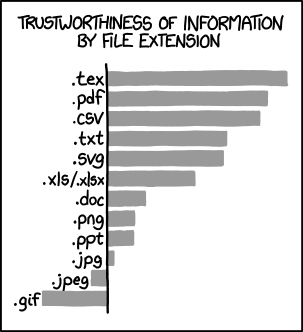
The major attempts to replace PDF have largely failed, though. DjVu is relatively limited in scope. Postscript (as a document display format) has never been well-supported on Windows and is increasingly poorly supported on Linux due to rarity. XPS is perhaps the most direct "PDF replacement" but is nearly equally complicated (being based on the MS Office OOXML formats, giving it a similar cursed heritage to PDF's basis in the Photoshop PSD format), and there was never really a compelling argument to switch to it.
What I don't get is the suggestion that PDF should be replaced by HTML. The purposes of the two formats are basically orthogonal and replacing one with the other is doomed to failure. The author's argument seems more akin to "print-layout documents should be replaced by hypertext," and perhaps this is true in some cases, but it's definitely a different matter and one that the author's arguments don't really support that well.
In my opinion, hopefully more humble than the author's, PDF's main downside is the remarkable unevenness of the quality of the creation and reading tools, considering its supposedly "reads everywhere" nature. The "reference implementation" is a commercial product and supports a huge list of features that are rarely or never supported by third-party commercial or open-source implementations. The Linux toolchain still widely used with PDF (e.g. Ghostscript) is decidedly outdated and hard to work with, but there's not a lot of momentum towards development of more modern tools. All of these issues are likely rooted in the basic fact that the PDF format is extremely complicated, and so thoroughly implementing it is a massive undertaking.
The author's complaints about performance in particular reflect the flexibility and complexity of the format. Web browsers have mostly switched over to using pdf.js to render PDFs, which is completely satisfactory for documents that consist of text or images (like scanned documents), but can be absolutely unusable when dealing with extremely vector-heavy PDFs like GIS exports.
Even printing PDFs can become rather frustrating as the complexity of the format means that parse-related printing issues are relatively common. Even Acrobat, for a long time, would munge certain characters when printing due to some sort of inconsistency with how different generators and readers implemented font embedding leading to Acrobat not being able to locate the embedded character font. This seemed most common with the letter "l" but maybe I'm imagining that... but also maybe it reflects some frightening detail of the format or implementation behavior.
One of the most common issues around PDF consistency comes down to file size... different PDF generators are prone to create representations of the same document that are significantly different sizes. Scanners are often an extreme example, some combination of not "knowing the tricks" for PDF optimization and a probably very low-performance compression implementation means that low-end network scanners often produce PDFs that are hilariously large. Opening them in Acrobat and using the "optimize file" tool can reduce file size by 90% without apparent visual impact... the whole fact that Acrobat has an "optimize" tool (and that Acrobat Distiller used to exist) speaks to the scale of this problem. Inspecting PDFs that are "optimized" by Acrobat can be an alarming experience, as well. You may remember that this played a strange role in Obama's birth certificate some years back, as Acrobat seems to normally split PDFs into all kinds of different layers and apply strange transformations to them when it "optimizes." It's hard to know how much of this is actually "best practice" versus just a result of Acrobat accumulating decades of eccentricities.
So the bottom line is... PDF is too complicated for its own good, but then so are a great deal of other formats in widespread usage, like modern webpages which require complex parsing of multiple formats to render, and a great deal of historic cruft brought along with them. I'm not sure that there's any sound technical argument that PDF or web pages are a "better format," it's all a matter of opinion over whether you prefer print-format documents or hypertext, and that's going to be very application-specific.